
Tampa Bay POS Systems for Retail, Restaurants, Liquor, Grocery & Convenience Stores
BizTracker helps Tampa Bay businesses choose, install, manage and support point-of-sale systems. We work with business owners who need more than a basic checkout screen: inventory control, barcode scanning, reporting, employee controls, payments, hardware, installation, training and dependable local support.
Whether you are replacing an outdated POS system, opening a new location or trying to fix problems with your current setup, BizTracker can help you determine what should be kept, what should change and what your business actually needs.
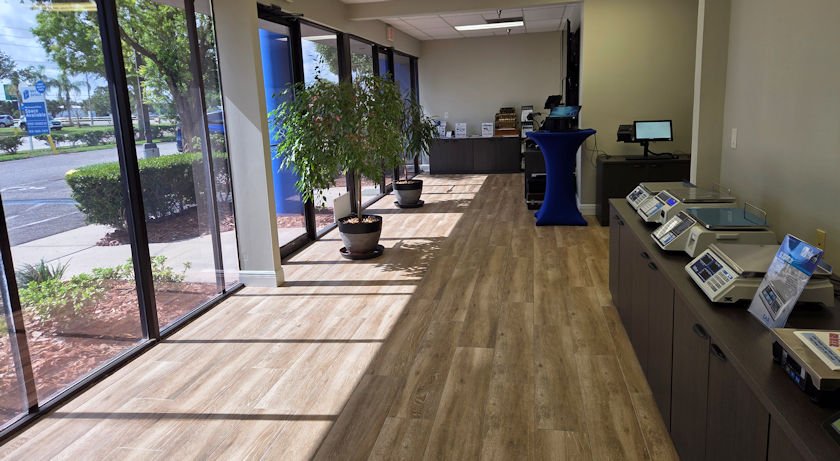
A local POS company that looks at your entire operation
A POS system affects far more than checkout. It can affect your inventory accuracy, employee accountability, purchasing, customer experience, reporting, payment workflow and how quickly your staff can recover when something goes wrong.
BizTracker helps Tampa Bay businesses review the complete environment before recommending changes. That includes software, existing hardware, barcode scanners, receipt printers, cash drawers, scales, payment devices, item files, inventory procedures, network requirements, backups and employee training.
- POS software selection and replacement planning
- Inventory, purchasing and barcode workflows
- Hardware selection, installation and testing
- Employee and manager training
- Payments and merchant-service workflow review
- Backup, network and outage planning
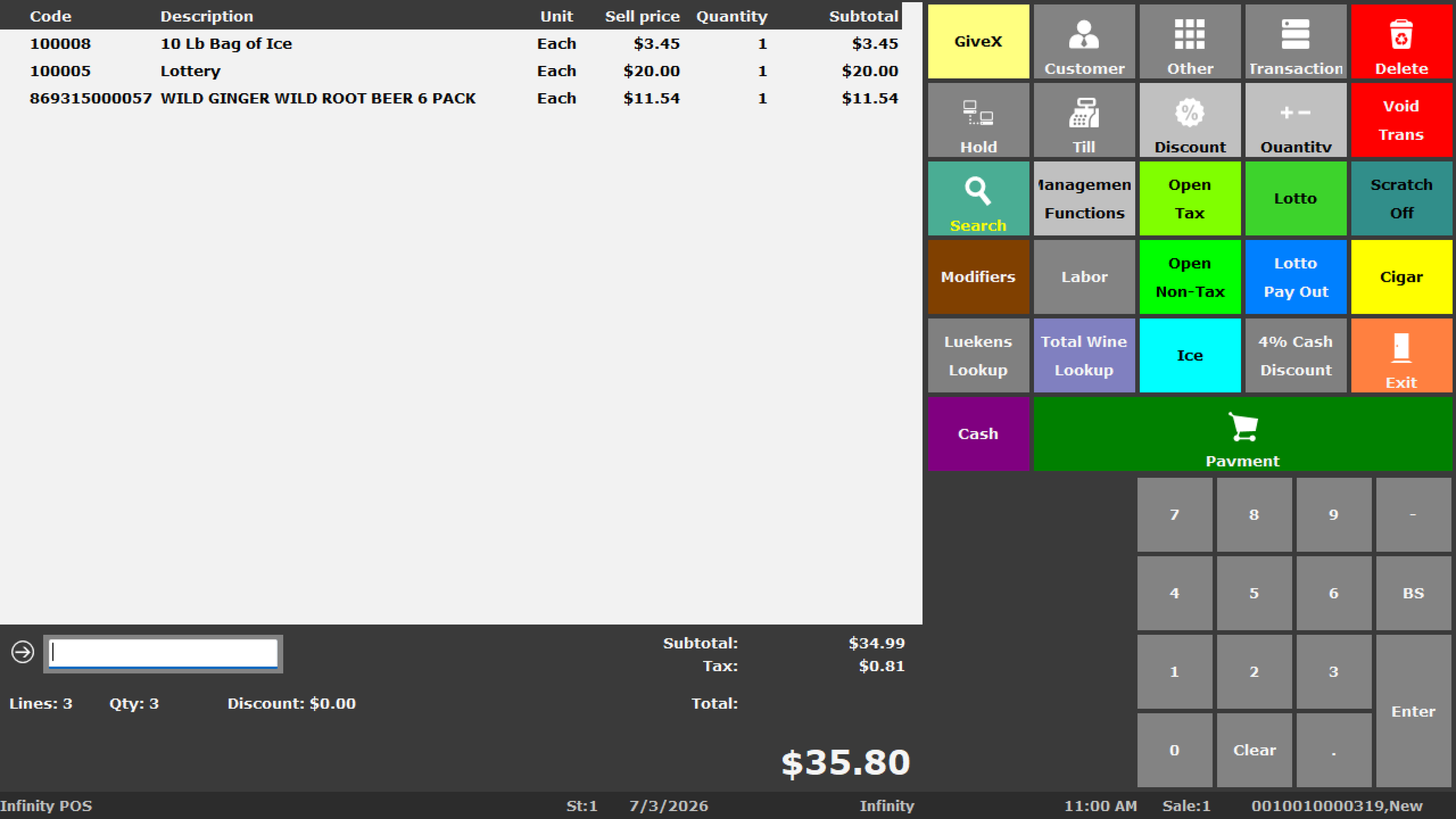
POS systems for Tampa Bay businesses
Different businesses need different POS workflows. BizTracker helps match the system to the operation instead of forcing every customer into the same setup.
Retail Stores
Checkout, item files, inventory, vendors, barcode scanning, pricing, purchasing, customer information and reporting.
Explore Retail POS SystemsLiquor Stores
Fast barcode checkout, bottle-pack-case workflows, pricing, inventory, purchasing, age-restricted sales workflows and reporting.
Explore Liquor Store POSGrocery Stores
High-volume item files, departments, scanners, scales, labels, receiving, inventory counts, purchasing and reporting.
Explore Grocery Store POSConvenience Stores
Fast checkout, barcode scanning, employee controls, inventory, departments, pricing, cash management and reporting.
Explore Convenience Store POSRestaurants
Menus, modifiers, kitchen printing, payment processing, online ordering, employee management and reporting.
Explore Restaurant POSMulti-Location Businesses
Centralized visibility into sales, inventory, pricing, locations, employees and reporting across multiple stores.
Explore Multi-Store POSServing businesses throughout the Tampa Bay area
BizTracker supports businesses throughout Pinellas County, Hillsborough County, Pasco County, Manatee County and surrounding areas. Our local presence gives business owners another option besides relying entirely on a distant software company or call center.
Depending on the project, we can help with showroom demonstrations, system reviews, hardware planning, installation, onsite service, employee training and ongoing remote support.
Learn more about BizTracker's local POS showroom and support options →
Why local POS support can matter
A POS system is one of the few technologies a business may use for nearly every transaction, every day. When checkout stops, a printer fails, inventory becomes inaccurate or employees cannot use the system, the problem becomes operational very quickly.
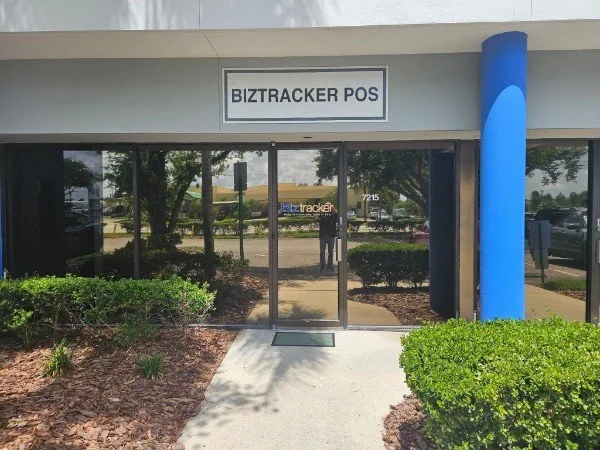
Local Office
BizTracker has a real local location where Tampa Bay businesses can work with a POS company that understands hardware as well as software.
Showroom Demonstrations
Business owners can review equipment and discuss the workflow before committing to a replacement POS system.
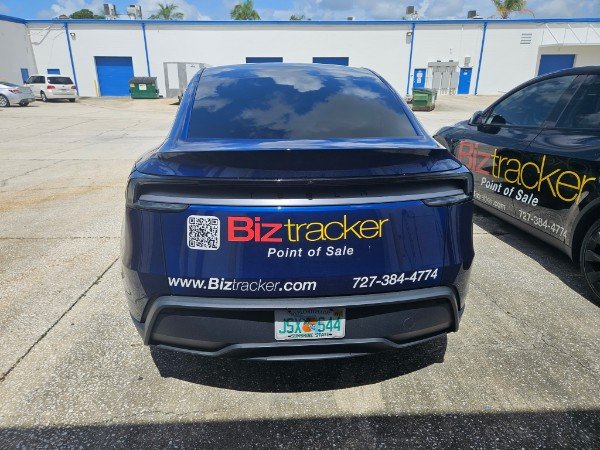
Onsite Service
When the project requires it, BizTracker can provide local installation, troubleshooting and hardware support.
Thinking about replacing your current POS system?
You may not need to replace everything. One of the first things BizTracker can help determine is which parts of your current setup are still useful and which parts are creating problems.
We can review your current software, computers, terminals, scanners, printers, cash drawers, network, item files, inventory process, reporting and payment workflow before recommending a replacement.
A POS replacement should answer these questions first
What problems are you actually trying to solve? Can existing hardware be reused? How will item data move? What happens to inventory? What reports are required? How will employees be trained? What is the backup plan if internet or hardware fails?
Problems we commonly help Tampa Bay businesses solve
Inventory cannot be trusted
Review item setup, receiving, purchasing, counts, barcodes and reporting to find where inventory accuracy is breaking down.
Inventory ManagementCheckout is too slow
Evaluate scanning, hardware, receipt printing, payment devices and cashier workflow to remove unnecessary steps.
Reports do not answer basic questions
Improve visibility into sales, margins, products, departments, inventory, employees and store performance.
POS Reporting SoftwareSupport is difficult to reach
Work with a Tampa Bay POS company that can provide local and remote assistance instead of relying only on a distant call center.
BizTracker SupportHardware keeps causing problems
Review terminals, scanners, receipt printers, cash drawers, label printers, network equipment and other POS hardware.
POS HardwareYou are opening another location
Plan consistent hardware, item files, pricing, users, reporting and support procedures before the next location goes live.
Multi-Store POSFree Tampa Bay POS & operations review
If your current system is frustrating employees, producing unreliable inventory, making reports difficult or simply getting old, start with a review rather than assuming you need to replace everything.
BizTracker can help review:
- Your current POS software and support situation
- Existing terminals, scanners, printers and cash drawers
- Inventory, receiving and purchasing workflows
- Employee permissions and cash-control procedures
- Reports you currently use and reports you cannot get
- Payment processing and checkout workflow
- Network, backup and internet-failure planning
- Whether replacing the POS system is actually necessary
How a BizTracker POS project works
Review the business
We learn how checkout, inventory, payments, reporting, employees and current technology work today.
Design the POS setup
We match the software, features, hardware and support plan to the requirements of the business.
Configure and test
Software, hardware, scanning, printers, payments, users and business-specific workflows are prepared and tested.
Train and support
Owners, managers and employees learn the system, with support available after the system goes live.
POS software, hardware and support in one place
BizTracker can help plan the full POS environment rather than treating software and hardware as unrelated purchases.
BizTracker Infinity POS
Retail-focused POS software for checkout, inventory, item management, purchasing, barcode scanning, reporting and back-office operations.
BizTracker Infinity POSPOS Hardware
Terminals, barcode scanners, receipt printers, label printers, cash drawers, scales, displays and related hardware.
POS Hardware OptionsInstallation & Training
System preparation, equipment installation, testing, employee training and manager training based on project requirements.
POS Installation & TrainingHelpful POS resources
Tell Us What You Need Help With
Choose the closest match below. We’ll carry your answers into the review request so you do not have to enter the same information twice.
Tampa Bay POS System FAQs
Is BizTracker a local Tampa Bay POS company?
Yes. BizTracker has served businesses since 1996 and has a local Tampa Bay office and showroom. We provide POS software, hardware, setup, training and support for businesses throughout the area.
What areas does BizTracker serve?
BizTracker works with businesses throughout Tampa Bay, including Tampa, St. Petersburg, Clearwater, Largo, Seminole, Pinellas Park, Dunedin, Palm Harbor, Safety Harbor, Oldsmar, Brandon, Riverview, Wesley Chapel and surrounding communities.
Can I see a POS system before I buy it?
Yes. BizTracker has a local showroom where business owners can review POS software, cash registers, barcode scanners, receipt printers, scales and other hardware. Contact BizTracker before visiting to confirm availability for the equipment you want to review.
Can BizTracker replace my existing POS system?
Yes. BizTracker can review your current software, hardware, inventory, item data, reporting, payments and support needs and help you plan a replacement. We can also determine whether some existing equipment may still be useful.
Does BizTracker work with liquor and grocery stores?
Yes. BizTracker works with inventory-intensive retail businesses including liquor stores, grocery stores, convenience stores and specialty retailers that need barcode scanning, purchasing, receiving, inventory management and detailed reporting.
Does BizTracker provide restaurant POS systems?
Yes. BizTracker can help Tampa Bay restaurants with POS systems for order entry, menus, modifiers, kitchen printing, payments, online ordering, reporting and employee management.
Can BizTracker support multiple locations?
Yes. BizTracker can help multi-location businesses improve visibility into sales, inventory, users, pricing and reporting while standardizing the POS environment across locations.
Can BizTracker help with POS hardware?
Yes. BizTracker can help select and support compatible terminals, barcode scanners, receipt printers, kitchen printers, cash drawers, label printers, scales, customer displays, payment devices and related equipment.
Can BizTracker help if I am unhappy with my current POS company?
Yes. You do not need to know exactly what system you want before contacting BizTracker. We can review the current problems, determine what should be kept or replaced and help map out a practical path forward.
What happens during the free POS review?
BizTracker reviews the business workflow, current POS setup, inventory needs, hardware, reporting, payments, employee procedures and support concerns. The goal is to determine what is working, what is not working and whether the current system should be improved, expanded or replaced.
Need a better POS system for your Tampa Bay business?
Start with a conversation about your current system and the problems you are trying to solve. BizTracker can help you review your software, inventory, hardware, payments, reporting and support needs before you spend money replacing anything.
Schedule a Tampa Bay POS Consultation
Talk through your store setup with a local BizTracker specialist. Showroom, on-site and remote sessions are available across the Tampa Bay area.
Tampa Bay showroom, on-site and remote demos available.