
Local Tampa Bay POS Support
Tired of Waiting for POS Support?
Get a second opinion from a local POS team that understands software, hardware, payments, inventory, training, and day-to-day store operations.
Poor support can turn a small POS problem into a checkout problem, employee problem, reporting problem, or lost day of productivity. BizTracker helps Tampa Bay businesses review what is going wrong and determine a practical path forward.
Get My Free POS Review Call (877) 767-1249Local office • Showroom • Remote support • Onsite service where available • POS experience since 1996
Quick Answer
If your current POS company is difficult to reach, cannot help with hardware, keeps sending you to other vendors, or does not understand your business, BizTracker can provide a second opinion. We can review your current POS software, hardware, payment setup, inventory workflow, training needs, support process, and replacement options. Tampa Bay businesses may also have access to local showroom and onsite support depending on location, equipment, schedule, and service requirements.
Does This Sound Familiar?
The POS Works Until You Actually Need Help
Many businesses do not start looking for a new POS because they want different software. They start looking because the company behind their current system is no longer solving their problems.
Nobody Answers
You call support and wait. You submit a ticket and wait. The store still needs to operate while the problem remains unresolved.
Everyone Blames Someone Else
The POS provider blames the processor. The processor blames the software. The software company blames the network or hardware.
Nobody Comes Onsite
Some problems are hard to diagnose through email or a remote session. Local businesses may need someone who can understand the physical setup.
Hardware Keeps Failing
Receipt printers, scanners, cash drawers, payment devices, terminals, label printers, and network equipment all affect the POS environment.
Employees Are Not Trained
Staff may know how to ring a sale but not how to handle returns, inventory, receiving, reports, outages, cash procedures, or escalation.
You Are Afraid to Change
The current system is frustrating, but replacing it sounds risky. You do not want a new POS to create a completely new set of problems.
A Common POS Support Problem
When Something Goes Wrong, Who Do You Call?
A fragmented POS environment can leave the business owner stuck between several companies that each support only one piece of the system.
Fragmented Support
Several Vendors, No Clear Owner
- POS software company supports only the software
- Processor handles only payment issues
- Hardware vendor handles only the device
- Internet provider handles only the connection
- Employees do not know which company to call
- The owner becomes the person coordinating everyone
The BizTracker Approach
Start With a Team That Understands the POS Environment
BizTracker works with POS software, terminals, receipt printers, barcode scanners, cash drawers, label printers, scales, payments, inventory workflows, reporting, employee training, setup, and support.
Not every issue can be solved by one provider, but having a POS team that can help identify the likely source of the problem can make troubleshooting much easier.
Explore BizTracker Support →A Real Local POS Company
Local Tampa Bay Support Means More Than a Phone Number
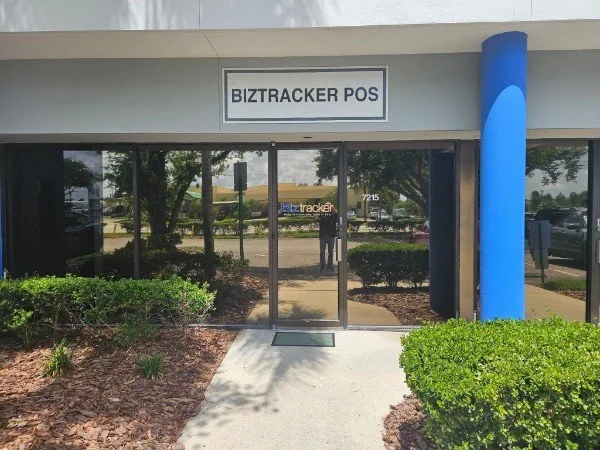
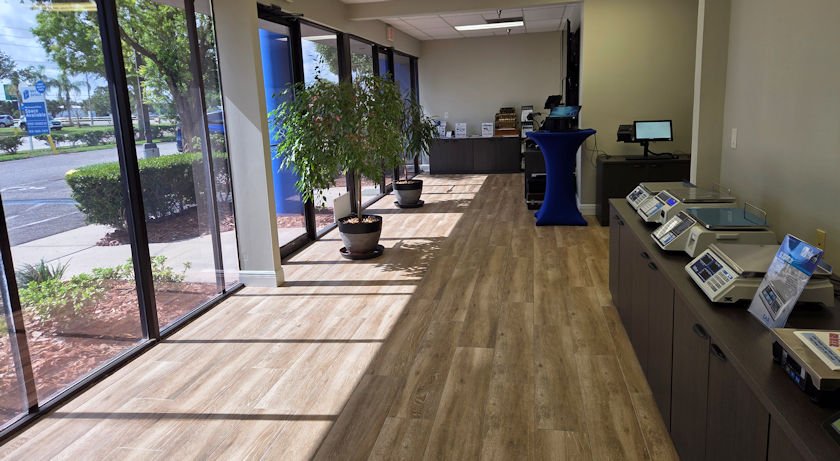
BizTracker has a real local office and showroom where businesses can review POS software, cash registers, barcode scanners, receipt printers, label printers, scales, payment equipment, and other store technology.
Tampa Bay businesses can ask about onsite installation, service, troubleshooting, training, and hardware support where available. BizTracker also provides remote support for customers who do not require an onsite visit.
- Local Tampa Bay office
- POS showroom and demo equipment
- Onsite service where available
- Remote support
- Software and hardware assistance
- Employee and manager training
- Installation and setup planning
- Long-term POS support
More Than Software Support
We Can Review the Complete POS Environment
A reliable POS system depends on software, hardware, network connections, payment devices, employee procedures, inventory workflows, reporting, training, and support working together.
POS Software
Checkout screens, users, permissions, item files, taxes, discounts, customer records, reporting, and daily workflows.
Infinity POS →POS Hardware
Terminals, receipt printers, kitchen printers, cash drawers, customer displays, barcode scanners, label printers, and scales.
POS Hardware →Payments
Payment terminals, EMV workflow, integrated payments, receipts, settlement questions, and merchant-processing review.
Merchant Services →Training
Help owners, managers, cashiers, servers, and back-office employees understand the POS workflows they use.
Training & Setup →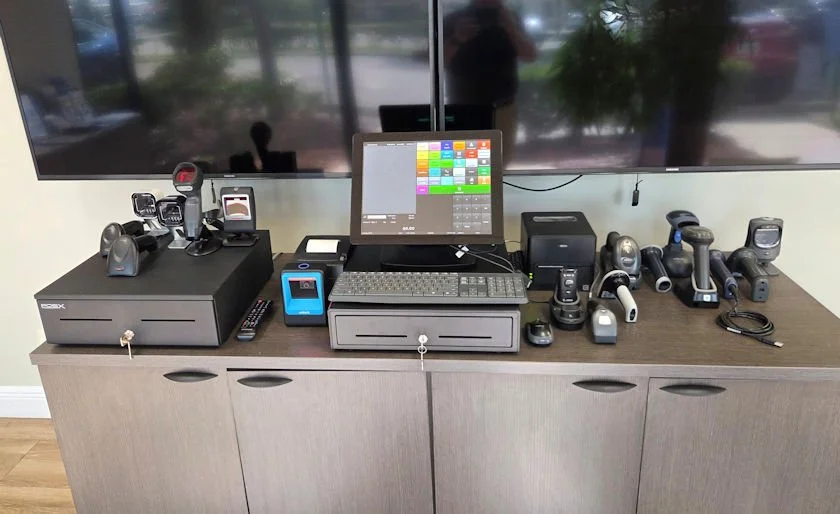
Hardware Matters Too
Your POS Provider Should Understand More Than the Screen
A checkout problem may involve the software, scanner, printer, cash drawer, payment terminal, network, cabling, operating system, drivers, or configuration.
BizTracker works with store technology as part of the complete POS environment. That can make it easier to plan replacements, troubleshoot common issues, standardize equipment, and avoid buying hardware that does not fit the intended setup.
Compatibility note:
Compatibility depends on your POS software, operating system, connection type, drivers, accessories, and configuration. Confirm compatibility before ordering.
Common Support Cases
Problems That Often Cause Businesses to Look for a New POS Partner
Every situation is different. These examples show the types of operational problems a POS review can help identify.
Case 1
The Receipt Printer Stops Working
The store does not know whether the problem is the printer, cable, network connection, driver, POS configuration, power supply, or software.
What to review: printer status, connection type, cabling, network, driver, assignment, software configuration, and replacement options.
Case 2
Payments Stop Working
The payment device is connected to the POS, but transactions are failing and the merchant does not know whether the cause is the processor, internet, terminal, software, or configuration.
What to review: payment connection, terminal status, internet, POS workflow, processor escalation, and available backup procedures.
Case 3
Inventory Numbers Cannot Be Trusted
The POS rings sales correctly, but receiving, adjustments, stock counts, labels, purchasing, and inventory procedures are inconsistent.
What to review: item files, receiving, purchase orders, stock take, adjustments, permissions, barcode workflow, and reporting.
Inventory Management →Case 4
New Employees Were Never Properly Trained
Staff learn from other employees, so procedures change over time and managers have difficulty keeping checkout, returns, discounts, cash handling, and inventory tasks consistent.
What to review: employee roles, permissions, procedures, training requirements, manager workflows, and escalation steps.
Case 5
The Current Vendor No Longer Supports the System Well
The system may still work, but updates, hardware replacement, training, integrations, or support response have become difficult.
What to review: current system condition, hardware age, software requirements, data needs, replacement timing, and migration risk.
Case 6
A Second Location Makes Everything Harder
Inventory, employees, pricing, purchasing, reports, and support procedures may have worked at one store but become difficult as the business grows.
What to review: centralized item files, multi-store inventory, permissions, reporting, hardware standards, support process, and expansion planning.
Multi-Store POS →Concerned About Switching?
Replacing a POS Should Solve Problems, Not Create New Ones
A business should not replace its POS simply because another system has more features. The replacement should address specific problems while protecting the workflows the business already depends on.
Before recommending a change, BizTracker can review what you are using now, what is working, what is not working, what equipment may be reusable, what data needs to move, how employees should be trained, and what support will be needed after go-live.
Learn About Switching POS Systems →Questions We Should Answer Before You Change
- What is the biggest problem with the current POS?
- What does the current system do well?
- Which workflows cannot be interrupted?
- Can existing hardware be reused?
- What data needs to be converted?
- How should employees be trained?
- What happens if something fails after go-live?
- Who will support the system going forward?
Local Service Capability
Sometimes Remote Support Is Enough. Sometimes You Need Local Help.
Many POS questions can be handled remotely. Other situations may involve equipment, cabling, printers, scanners, networking, installation, or physical store setup.
BizTracker maintains a local Tampa Bay presence and can provide onsite support where available based on location, schedule, equipment, and service requirements.
This gives local merchants another option beyond relying entirely on a national call center or remote-only software provider.
Learn About Local Support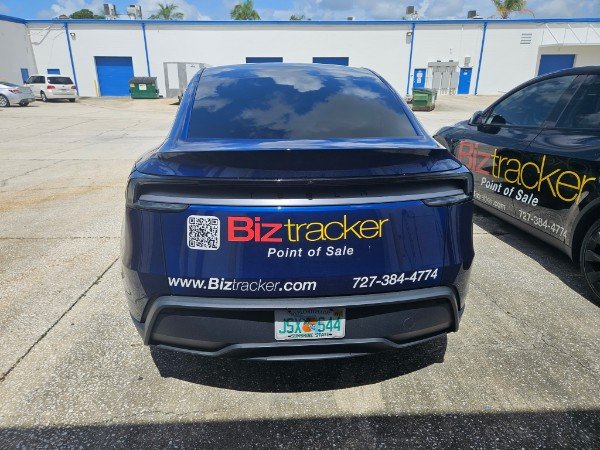
Support Should Understand Your Business
Different Businesses Have Different POS Problems
Good support requires more than knowing how to restart a register. The provider should understand the workflows the business depends on.
Retail Stores
Barcode scanning, item files, inventory, purchasing, receiving, labels, returns, employee controls, and reporting.
Retail POS →Liquor Stores
Fast scanning, age-restricted items, inventory, case and unit workflows, labels, pricing, receiving, and shrink review.
Liquor Store POS →Grocery Stores
Checkout lanes, departments, scanners, scales, inventory, receiving, labels, payments, and store reporting.
Grocery POS →Convenience Stores
Fast checkout, barcode scanning, cash control, age-restricted items, inventory, employee permissions, and payments.
Convenience Store POS →Restaurants
Menus, modifiers, kitchen printing, payment devices, employee training, checkout workflow, and operational support.
Restaurant POS →Multi-Store Businesses
Standardized hardware, item files, inventory, transfers, permissions, reporting, training, and support procedures.
Multi-Store POS →POS Support Answer Center
What Should You Do When Your POS Provider Is Not Supporting Your Business?
Start by identifying whether the problem is the POS software itself or the support relationship behind it.
Document the recurring problems, response times, hardware failures, payment issues, reporting limitations, inventory concerns, training gaps, and situations where your business could not get the help it needed.
Then have another POS provider review the complete environment before replacing anything. A second opinion should include software, hardware, payments, inventory workflow, reporting, network requirements, training, existing equipment, data conversion needs, and support expectations.
BizTracker offers this type of review for businesses evaluating their current POS relationship and considering better support, replacement software, new hardware, or a more complete POS solution.
No Commitment to Switch
Get a Second Opinion Before You Make a POS Decision
Tell BizTracker what is going wrong with your current system. We can review the problem, your business requirements, and whether your current POS can be improved or whether it may be time to consider another solution.
Tell Us What Made You Start Looking
- My current POS provider does not support us well
- Support takes too long to respond
- Nobody can come onsite
- Our POS is unreliable
- We have recurring hardware problems
- Employees need better training
- Inventory is inaccurate
- We need better reporting
- We need stronger employee controls
- We are opening another location
- We have payment-processing problems
- Our current system is old or being replaced
Start with the problems you want solved. A system recommendation should come after we understand the business.
Why BizTracker
Support Before, During, and After the POS Sale
POS Experience Since 1996
BizTracker has decades of experience working with POS software, hardware, inventory, checkout, payments, training, and daily business operations.
Local Tampa Bay Presence
A local office, showroom, demo equipment, remote support, and onsite service options give Tampa Bay businesses access to more than a remote software login.
Software + Hardware + Support
BizTracker can review the complete environment rather than treating POS software, devices, payments, inventory, training, and support as unrelated pieces.
Questions Business Owners Ask
Frequently Asked Questions
Answers about changing POS providers, local support, hardware service, merchant processing, training, and system replacement.
What should I do if my current POS provider gives poor support?
Start by documenting the problems you are having and how they affect the business. Then get a second opinion that reviews your POS software, hardware, payments, network, inventory workflows, reporting, training, and support requirements before deciding whether to stay with the current system or replace it.
Can BizTracker review a POS system that we purchased from another company?
BizTracker can review your current setup and business requirements to determine what options may be available. The level of support possible for an existing system depends on the software, hardware, licensing, processor, configuration, vendor access, and condition of the equipment.
Does BizTracker provide onsite POS support in Tampa Bay?
BizTracker provides local Tampa Bay support and may provide onsite service depending on location, equipment, schedule, project scope, and service requirements. Remote support is also available for many POS questions and troubleshooting situations.
Does BizTracker have a local showroom?
Yes. BizTracker has a Tampa Bay showroom where businesses can review POS software, cash registers, scanners, printers, scales, payment equipment, and related store technology. Contact BizTracker before visiting to confirm availability.
Can BizTracker help with POS hardware problems?
BizTracker can help review common issues involving POS terminals, receipt printers, kitchen printers, barcode scanners, cash drawers, label printers, customer displays, scales, payment devices, and related equipment. Support options depend on the hardware model, condition, software, connection type, and configuration.
Can BizTracker help train our employees?
Yes. Training can cover owners, managers, cashiers, servers, bartenders, and back-office users depending on the business type and POS system. Training may include checkout, returns, payments, item lookup, cash handling, inventory tasks, receiving, reporting, and support procedures.
Do I have to switch merchant processors to work with BizTracker?
Not necessarily. Payment options depend on the POS system, processor, payment device, merchant account, integration requirements, and configuration. BizTracker can review your current payment setup as part of the overall POS discussion.
Can BizTracker review my merchant statement?
Yes. BizTracker can review a current merchant statement and discuss processing costs, fees, payment workflow, and available options. Merchant processing should be evaluated as part of the overall checkout and POS environment rather than only by comparing an advertised rate.
Can we keep our existing POS hardware if we switch systems?
Sometimes. Existing equipment may be reusable if it is compatible with the new software and meets the required connection, driver, operating system, payment, and configuration requirements. Each device should be reviewed before a replacement plan is finalized.
Can BizTracker help move us from an old POS system?
Yes. BizTracker can help review the current system, hardware, item files, data requirements, inventory processes, reporting, payment setup, installation plan, employee training, and support needs for a replacement project.
What kinds of businesses does BizTracker support?
BizTracker works with retailers, liquor stores, grocery stores, convenience stores, specialty retailers, multi-store businesses, restaurants, bars, quick-service operations, and other businesses that need POS software, hardware, payments, inventory, training, and support.
What is the first step if I am unhappy with my current POS company?
Start with a free POS and business operations review. Tell BizTracker what made you start looking, what problems you are experiencing, what your current system does well, and what you need a new provider to improve. That gives us enough information to recommend practical next steps.
You Have Options
You Do Not Have to Keep Living With Poor POS Support
Get a second opinion on your software, hardware, payments, inventory, reporting, training, and support situation before deciding what to do next.
Get My Free POS & Business Review Call (877) 767-1249Need help choosing the next step? Chat with BizTracker or send us a message.