
Retail POS Systems • Serving Businesses Since 1996
Retail POS Software for Inventory, Purchasing, Employees & Reporting
A retail POS system should help you run the store, not just ring up transactions.
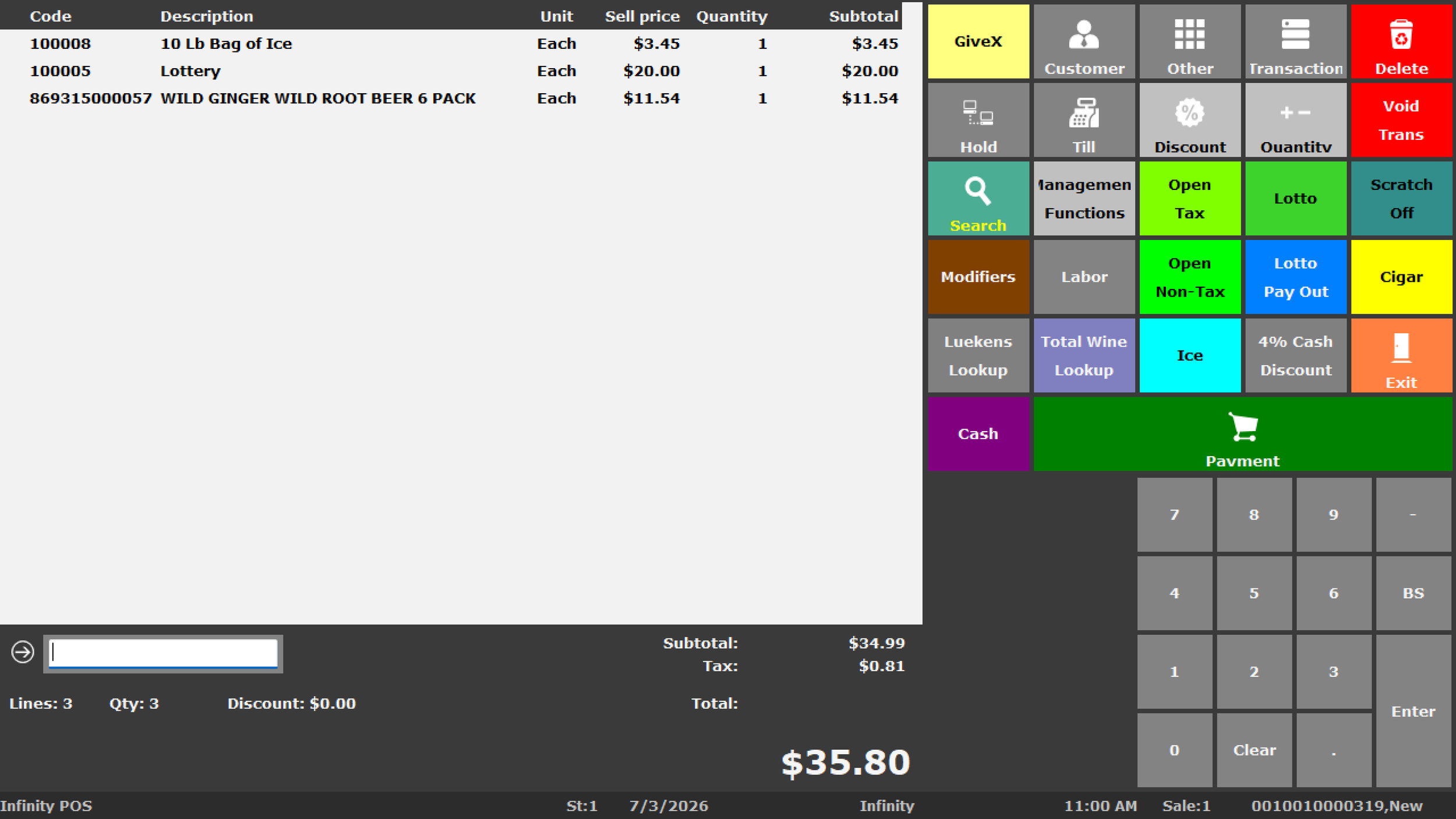
BizTracker helps retailers connect checkout with inventory, barcode scanning, purchasing, receiving, employee controls, cash management, reporting, hardware and multi-location operations.
Get a Free POS & Business Review Call (877) 767-1249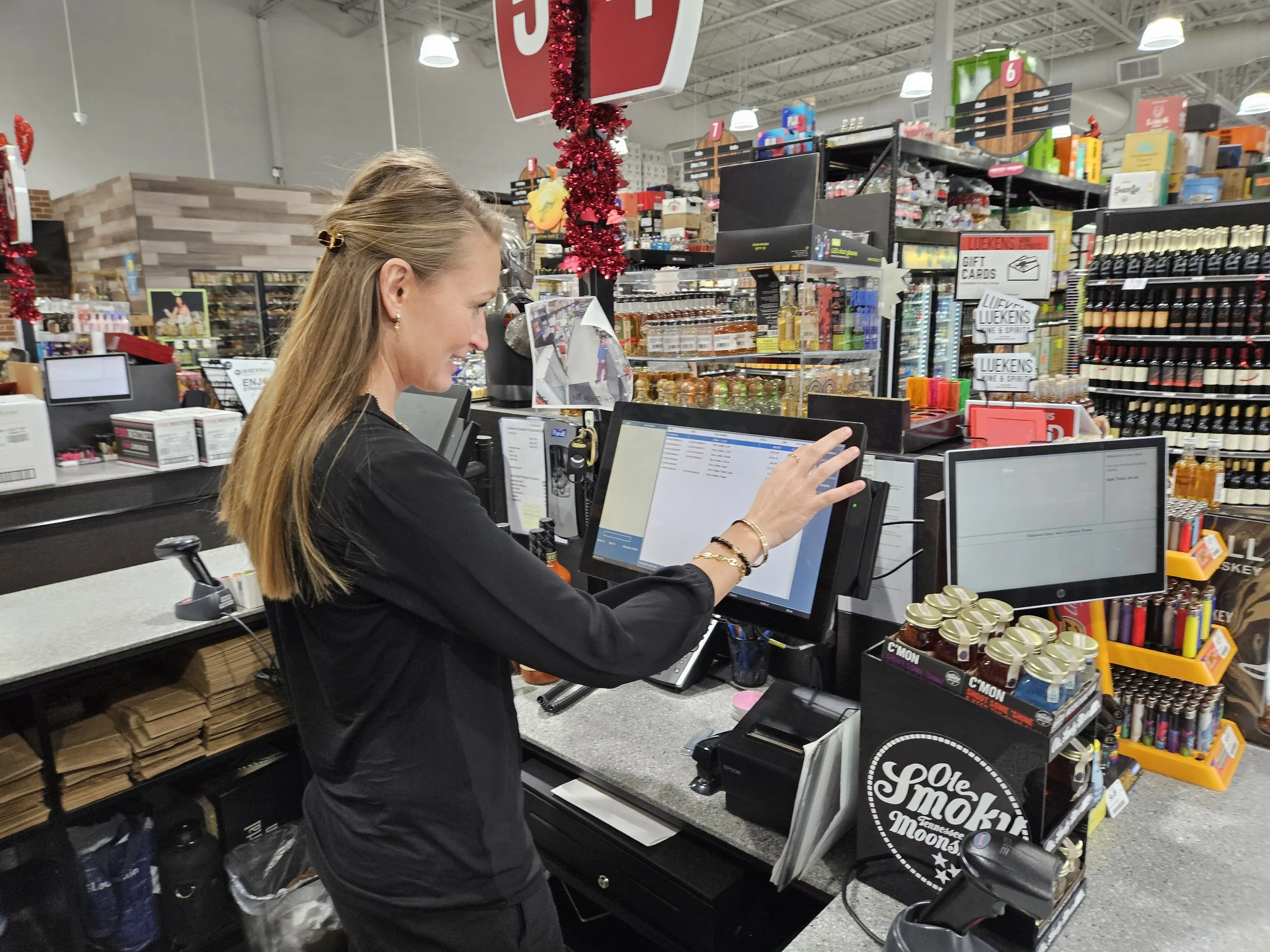
Quick Answer
A good retail POS system connects the transaction at checkout with everything needed to operate the store. That can include item records, inventory, purchasing, receiving, stock counts, barcode scanning, pricing, customer information, employee permissions, cash controls, payments, reporting, hardware and multi-store management.
Start With the Business Problem
Why Retailers Start Looking for a Better POS System
Most retailers do not replace a POS system because they want a different checkout screen. They start looking because important parts of the operation are difficult to control.
Inventory Cannot Be Trusted
Receiving errors, item-file problems, inaccurate counts, shrink and inconsistent adjustments make on-hand quantities unreliable.
Retail Inventory Management →Purchasing Takes Too Much Time
Buyers need vendor, inventory, cost, sales and on-order information connected instead of scattered across spreadsheets and separate systems.
Purchase Orders →Reports Do Not Answer Questions
Owners need useful information about products, margins, departments, inventory, employees, purchasing and overall store performance.
Retail POS Reporting →Employee Controls Are Too Weak
Refunds, voids, discounts, price changes, cash drawers and inventory adjustments should have appropriate permissions and accountability.
Cash & Employee Controls →Barcode Workflows Are Inefficient
Clean UPC data and compatible scanners should help checkout, receiving, item lookup, inventory and label workflows.
Barcode & Label Workflows →Multiple Stores Are Disconnected
Separate product files, pricing, inventory and reports make growth increasingly difficult as locations are added.
Multi-Store POS →Retail POS Answer Center
What Should a Retail POS System Actually Do?
A retail POS system should connect checkout with the processes that happen before and after every sale.
Products have to be created and priced. Inventory has to arrive, be received, counted, sold, returned, transferred and reordered. Employees need the correct permissions. Owners need reports that explain what is happening.
The system may also need to work with barcode scanners, receipt printers, label printers, cash drawers, customer displays, payment devices, scales and back-office computers.
The right retail POS system therefore depends on the store's inventory complexity, number of locations, purchasing procedures, hardware, reporting requirements, employee structure and support expectations.
Retail Store Management
The Core Functions of a Strong Retail POS
Retail operations work best when the same product, inventory and transaction data supports multiple parts of the business.
Checkout
Fast product lookup, barcode scanning, returns, discounts, payments, receipts and cashier-specific access.
Inventory
Track products through sales, receiving, counts, adjustments, transfers and other approved inventory movements.
Inventory Management →Purchasing
Connect vendors, purchase orders, receiving, quantities, costs and replenishment decisions.
Purchasing →Employee Controls
Assign access based on responsibilities and review activity around sensitive transactions.
Cash Management
Support drawer procedures, cashier accountability, tender review, refunds, voids and over/short investigation.
Cash Management →Reporting
Analyze sales, products, inventory, departments, employees, payments, purchasing and operational activity.
Retail Reporting →Barcode & Labels
Use compatible scanners and label printers for checkout, receiving, product lookup and inventory workflows.
Barcode & Labels →Customers
Maintain customer information and supported account or sales-history workflows when appropriate.
Customer Accounts →Multi-Store Operations
Connect inventory, pricing, product records, employees and reporting across multiple locations.
Multi-Store POS →Retail Inventory Management
If the POS Says 12 and the Shelf Has 7, the Real Question Is Why
Simply changing the quantity from 12 to 7 fixes today's number. It does not fix the process that caused the difference.
Inventory discrepancies can come from receiving, returns, shrink, damage, UPC errors, stock-count mistakes, employee adjustments or selling merchandise under the wrong item record.
A better retail POS helps management investigate inventory activity instead of repeatedly correcting unexplained numbers.
Explore Retail Inventory ManagementQuestions Worth Answering
- Was the item received correctly?
- Was the correct UPC scanned?
- Were returns recorded correctly?
- Was inventory manually adjusted?
- Was damaged product recorded?
- Was the item counted recently?
- Could shrink be involved?
- Did another item record receive the sale?
Purchasing & Receiving
Inventory Accuracy Starts Before Merchandise Reaches the Shelf
Ordering, receiving, vendor records, item costs and employee procedures all influence inventory accuracy and profitability.
Order
Use inventory, product movement, vendor and business information to determine what should be purchased.
Receive
Compare deliveries with expectations and identify shortages, overages, damage and substitutions.
Update
Keep approved quantities, costs and product information aligned with receiving activity.
Review
Use reporting to evaluate inventory levels, product movement, costs, vendors and future ordering decisions.
Employee Accountability
Can You Explain What Happened After the Transaction?
- Who performed the refund?
- Who approved the void?
- Who opened the drawer?
- Who changed a price?
- Who adjusted inventory?
- Which cashier had the shortage?
- Who approved the discount?
- Which user received the merchandise?
Control Without Slowing the Store
Give Employees Access to Their Jobs, Not Every Management Function
Cashiers, receivers, buyers, supervisors, managers and owners often need different permissions.
A stronger POS environment limits sensitive activities while still allowing employees to work efficiently and gives management information when something needs to be reviewed.
Cash & Employee ControlRetail Reporting
POS Reports Should Help You Decide What to Do Next
Reports are valuable when they help an owner or manager understand what needs attention.
- What is selling?
- Which products are slowing down?
- What needs to be reordered?
- Which departments are growing?
- Where are margins weak?
- Where is inventory inaccurate?
- Are there unusual employee transactions?
- Which locations require attention?

Barcode Retail POS
Barcode Data Connects Checkout With Inventory
Clean product records and compatible barcode scanners can make checkout faster and reduce manual product lookup.
The same barcode information may also support receiving, inventory counts, item lookup and label workflows.
- UPC product lookup
- Fast scanning at checkout
- Receiving workflows
- Inventory counting
- Product labels
- Shelf labels
Multi-Location Retail
The POS That Works at One Store Can Become a Problem at Five
Growth creates new requirements around products, pricing, inventory, transfers, purchasing, employees and reporting.
- Inventory by location
- Store transfers
- Central product records
- Location-level reporting
- Company-wide reporting
- Employee permissions
- Consistent pricing
- New-location planning
A Simple Test
Can You Answer These Without Calling Each Store?
- Which location has this item?
- Which store is low?
- Which store is overstocked?
- What is already on order?
- Which location performed best?
- Are prices consistent?
- Where should stock be transferred?
Retail POS Hardware
POS Software Is Only Part of the Checkout System
Retail POS depends on compatible hardware working reliably with the software and store environment.
- POS terminals
- Barcode scanners
- Receipt printers
- Cash drawers
- Customer displays
- Label printers
- Scales where required
- Payment terminals
- Back-office computers
Hardware compatibility matters:
Existing equipment may sometimes be reused, but operating system, connection type, drivers, accessories, condition and POS compatibility should be confirmed first.
Retail Industry Fit
Different Retailers Need Different POS Workflows
The basic transaction may look similar, but inventory, purchasing, hardware and reporting requirements can vary dramatically by industry.
Liquor Stores
Barcode checkout, bottle-pack-case workflows, purchasing, inventory, age-restricted sales and detailed reporting.
Liquor Store POS →Grocery Stores
Large item files, departments, checkout lanes, scales, labels, inventory, receiving and reporting.
Grocery Store POS →Convenience Stores
Fast checkout, frequent deliveries, restricted products, employee controls, cash management and inventory.
Convenience Store POS →Specialty Retail
Detailed item records, customers, purchasing, barcode workflows, inventory and employee permissions.
Specialty Retail POS →BizTracker Infinity
Need a Retail System With These Capabilities?
This page explains the operational capabilities retailers should consider when evaluating POS systems.
BizTracker Infinity is our retail POS platform for businesses that need checkout connected with inventory, purchasing, reporting, barcode workflows, employee controls and back-office management.
Explore BizTracker Infinity POS
Retail POS Implementation
A Good POS Project Starts Before Installation Day
Products, permissions, inventory procedures, hardware, payments, reports and employee training should be reviewed before rollout.
Review
Identify the problems, requirements, existing equipment and business priorities.
Configure
Prepare products, departments, taxes, users, permissions, hardware, inventory and reporting.
Test & Train
Test important workflows and train owners, managers, cashiers, receivers and other employees.
Support
Establish how software, hardware, payment, inventory and reporting questions will be handled after go-live.
Why BizTracker
Retail POS Experience Since 1996
BizTracker works with the complete retail POS environment: software, inventory, barcode systems, purchasing, hardware, payments, installation, training, reporting and support.
Operational Focus
Start with what is going wrong in the business instead of forcing every retailer into the same generic configuration.
Software + Hardware
Review terminals, scanners, printers, cash drawers, scales, labels and other technology as part of the complete system.
Local Tampa Bay Resources
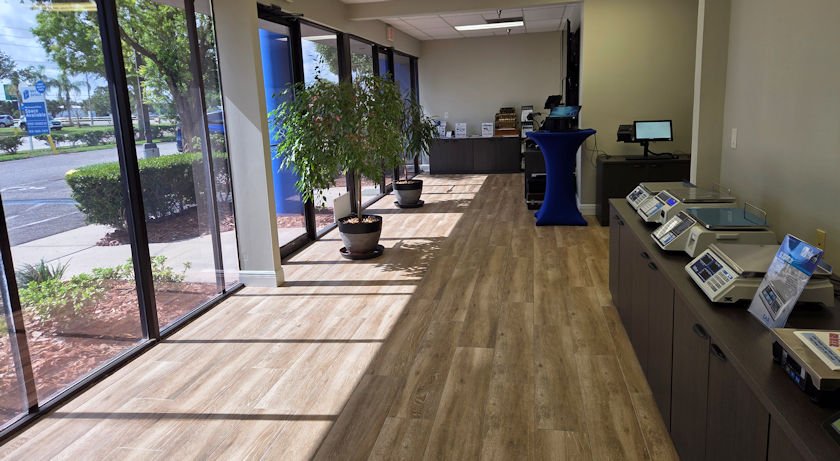
BizTracker also has a local office, showroom, demo equipment and onsite service options for eligible Tampa Bay customers.
Free POS & Business Review
What Made You Start Looking for a New Retail POS?
Tell BizTracker what is not working. We can review the existing system, inventory, purchasing, employee controls, reporting, cash management, barcode workflows, hardware, payments and support before recommending what to change.
- Inventory does not match
- Too many spreadsheets
- Poor employee controls
- Cash shortages or transaction concerns
- Purchasing takes too much time
- Reports are not useful enough
- Current provider gives poor support
- Hardware is unreliable
- Barcode or label workflows are inefficient
- Opening another location
- Managing several stores is difficult
- Current POS is old or unsupported
Retail POS Questions
Frequently Asked Questions
What is a retail POS system?
A retail POS system handles checkout and can also support products, inventory, purchasing, receiving, employees, customers, cash activity, payments, reporting, barcode scanning, label printing and multi-store operations depending on the software and configuration.
What should I look for in retail POS software?
Look beyond checkout. Consider inventory accuracy, purchasing, receiving, barcode workflows, employee permissions, reporting, hardware compatibility, payments, support and whether the system can grow with additional locations.
Can a retail POS system help with inventory?
Yes. A retail POS can support product records, receiving, stock counts, adjustments, transfers, purchasing and reporting. Inventory accuracy still depends on good item data and consistent operating procedures.
Can BizTracker help if our inventory is inaccurate?
Yes. BizTracker can help review item records, receiving, stock counts, adjustments, returns, barcode workflows, employee procedures and reporting to identify where discrepancies may be developing.
Can retail POS software track employee activity?
Depending on configuration, user permissions and reporting can help management review activities such as refunds, voids, discounts, cash drawers, receiving and inventory adjustments.
Can barcode scanners be used with BizTracker?
Compatible barcode scanners can be used for checkout and may also support receiving, inventory and product-lookup workflows depending on hardware, software and configuration.
Can existing POS hardware be reused?
Sometimes. Existing equipment should be evaluated for condition, operating system, connection type, drivers, accessories and software compatibility before reuse is assumed.
Can BizTracker manage multiple retail locations?
BizTracker Infinity can support multi-location retail operations involving location-level inventory, transfers, pricing, product information, users and reporting depending on configuration.
Does BizTracker provide installation and training?
Yes. BizTracker can help with implementation planning, configuration, hardware, installation, testing, employee training and ongoing support depending on the project and location.
Does BizTracker provide local retail POS support in Tampa Bay?
Yes. BizTracker has a Tampa Bay office and showroom and can provide local and remote support options depending on the customer, location and project requirements.
Do I have to replace everything when changing POS systems?
Not necessarily. Existing computers, scanners, printers, cash drawers and other equipment should be reviewed before replacement. Some hardware may be reusable when it is compatible and in suitable condition.
What types of retailers are a good fit for BizTracker Infinity?
BizTracker Infinity may be appropriate for liquor stores, grocery stores, convenience stores, specialty retailers, multi-location businesses and other retailers that need more operational control than a basic checkout system provides.
How do I know when it is time to replace my retail POS system?
Common signs include inaccurate inventory, limited reporting, too many manual processes, unreliable hardware, weak employee controls, poor support, difficulty managing additional locations or software that no longer fits the way the business operates.
Improve the Business, Not Just the Checkout
Find Out Where Your Current Retail POS Is Holding You Back
BizTracker can review inventory, purchasing, employee controls, reporting, cash management, barcode workflows, hardware, payments, support and multi-store requirements before recommending what you should change.
Get My Free POS & Business Review Call (877) 767-1249Schedule a Retail POS Demo
See how BizTracker Infinity POS handles retail checkout, inventory, purchasing, employee controls and reporting. Bring your own product mix and store requirements and we will run them through the system.
Tampa Bay showroom, on-site and remote demos available.