
BizTracker Infinity for Specialty Retail
Specialty Retail POS System for Inventory, Purchasing and Growth
Connect barcode checkout, detailed product records, sizes and colors, suppliers, purchase orders, receiving, stock counts, labels, customer accounts, reporting and multi-store operations with BizTracker Infinity POS.
- Detailed product records
- Sizes, colors and styles
- Purchase orders
- Vendor receiving
- Barcode and shelf labels
- Customer accounts
- Inventory reporting
- Multi-store visibility
Features, compatible hardware, payment options, integrations, installation services and support depend on the software version, store requirements, equipment and project configuration.
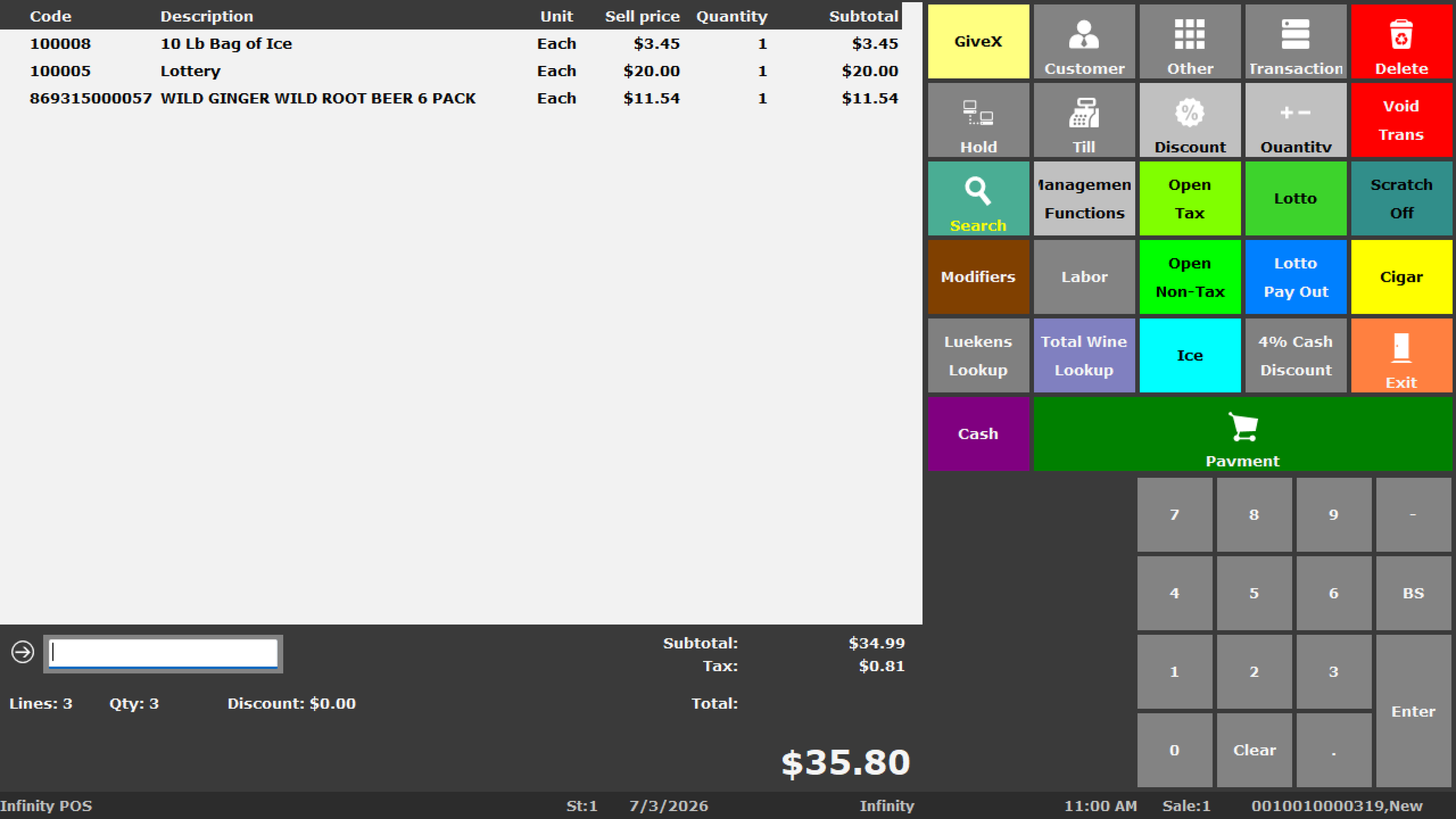
More Than Basic Checkout
What Is a Specialty Retail POS System?
A specialty retail POS system connects checkout with the detailed product, inventory, supplier, purchasing, customer and reporting work required by a product-focused store.
Specialty retailers often manage more product detail than a simple register or entry-level checkout app can comfortably handle. A store may carry thousands of SKUs, multiple suppliers, seasonal products, size and color combinations, private-label merchandise, accessories, special orders and inventory spread across several locations.
BizTracker Infinity can connect these workflows so employees, buyers and managers work from a more consistent retail database.
Specialty Retail Businesses
POS Software for Many Types of Specialty Stores
The best configuration depends on the products, vendors, checkout process, labels, customer relationships, locations, hardware and reports used by the business.

Boutiques and Apparel Stores
Manage styles, sizes, colors, brands, seasonal merchandise, suppliers, customers and markdown reporting.

Gift and Home-Goods Stores
Organize vendor lines, departments, seasonal products, labels, receiving, special orders and customer history.

Pet-Supply Stores
Track food, treats, accessories, brands, package sizes, suppliers, repeat purchases and inventory movement.

Hardware and General Retail
Handle large item files, manufacturer codes, alternate barcodes, departments, suppliers and detailed stock records.

Sporting-Goods Stores
Manage brands, sizes, product families, accessories, seasonal demand, customer records and purchase orders.

Hobby, Craft and Toy Stores
Track product lines, kits, components, collectibles, seasonal products, suppliers and customer demand.

Beauty and Wellness Retailers
Organize brands, product lines, sizes, customer purchase history, inventory and promotional pricing.

Wine and Bottle Shops
Manage vintages, varietals, bottle sizes, case relationships, suppliers and customer preferences.

Multi-Location Specialty Retail
Improve branch inventory visibility, transfers, centralized item information and consolidated reporting.
Infinity POS Capabilities
Connect the Front Counter With the Back Office
Infinity can support the major retail workflows specialty stores use to buy, receive, label, sell, count and report on merchandise.
Barcode Checkout
Scan products, search the item file, process sales and returns, print receipts and support consistent front-counter workflows.
Detailed Item Records
Manage UPCs, SKUs, descriptions, departments, brands, costs, prices, suppliers, taxes, prompts and stock settings.
Explore Infinity inventorySizes, Colors and Styles
Organize related products using the item structures and product details appropriate for the store’s merchandise.
Purchase Orders
Prepare supplier orders using product numbers, quantities, pack sizes, costs and expected deliveries.
Explore purchase ordersReceiving
Receive merchandise, review quantities and costs, update inventory and investigate shortages or substitutions.
Review purchasing and receivingInventory Counts
Support full inventories, cycle counts, department counts, variance review and controlled adjustments.
Review inventory trackingBarcode and Shelf Labels
Print product, shelf, receiving and price-change labels using compatible printers, media and templates.
Explore label printingCustomer Accounts
Support customer records, selected account workflows, special pricing, deposits, orders and purchase history.
Special Orders
Connect customer requests, deposits, product information and store procedures where supported by the configuration.
Retail Reporting
Review products, departments, suppliers, inventory movement, gross profit, customers, employees and locations.
Explore Infinity reportingCash Management
Support drawers, users, floats, transfers, balancing, banking, settlement and cashier accountability.
Explore cash managementMulti-Store Operations
Review branch inventory, transfers, centralized product information, permissions and consolidated reporting.
Explore multi-store POSProduct Variants and Item Detail
Organize Merchandise Beyond a Simple Description and Price
Specialty retailers often need to identify products using several attributes at once. The item structure should match the way employees buy, receive, label, find, sell and count the merchandise.
Separate product sizes while keeping related items organized for lookup and reporting.
Distinguish product colors and identify which combinations are available or selling.
Group related merchandise by style, model, collection, family or manufacturer line.
Review sales, inventory and purchasing by brand or supplier product line.
Separate seasonal assortments and review merchandise that may require markdowns or reordering.
Organize products for checkout, reporting, permissions, taxes and management review.
Connect products to vendor information, supplier item numbers, costs and ordering workflows.
Support alternate scan codes or internal labels when the merchandise requires them.
Inventory for Product-Heavy Stores
Know What Is Selling, What Is Low and What Is Not Moving
Specialty retail inventory can become difficult when products vary by brand, style, size, color, season, supplier or location.
Infinity can help create a more consistent process for maintaining product records, receiving merchandise, reviewing item movement, counting stock and using reports to guide purchasing decisions.
- Stock on hand
- Inventory value
- Sales history
- Fast-moving items
- Slow-moving items
- Products with no recent sales
- Minimum and maximum levels
- Items remaining on order
- Stock-count variances
- Branch-level inventory
- Controlled adjustments
- Supplier and department review
Connected Retail Workflow
From Vendor Ordering to Customer Checkout
Infinity can connect the activities that occur before, during and after a specialty retail sale.
Products, variants, departments, suppliers, prices, costs and settings.
Supplier items, quantities, pack sizes, costs and purchase orders.
Deliveries, shortages, substitutions, references and stock updates.
Barcode labels, shelf labels, pricing and physical product organization.
Scanning, product lookup, customers, payments, receipts and returns.
Products, departments, margins, inventory, suppliers and locations.
Recorded Infinity Demonstration
See the Infinity POS Platform Before Scheduling a Personal Demo
Watch the recorded overview for an introduction to Infinity. A personal demonstration can then focus on the products, inventory, purchasing, labels, customers and reports used by your specialty store.
- Review the Infinity interface
- See checkout and back-office concepts
- Prepare questions about your inventory
- Identify hardware and migration needs
Customers and Special Orders
Support the Relationships That Bring Customers Back
Specialty retail is often relationship-driven. Customers may return for a brand, product line, replacement item, special order or repeat purchase.
Infinity can support customer records and selected account workflows depending on the store’s requirements and software configuration.
- Customer contact information
- Purchase history
- Selected customer pricing
- House-account workflows
- Deposits and orders
- Special-order information
- Customer notes where applicable
- Account activity review
Specialty Retail Reporting
Use Product Detail to Make Better Retail Decisions
Daily sales totals do not explain which products, categories, suppliers or locations are helping the business perform.
| Reporting area | What management may review |
|---|---|
| Product sales | Items, styles, departments, brands, categories, customers, employees and time periods. |
| Inventory movement | Stock on hand, stock value, fast movers, slow movers, zero sales and count variances. |
| Gross profit | Costs, selling prices, margins, departments, brands and the effect of cost changes. |
| Purchasing | Suppliers, ordered products, quantities, costs, receiving activity and stock remaining on order. |
| Customer activity | Selected customer purchases, accounts, orders or pricing activity where configured. |
| Multi-store performance | Branch sales, inventory, transfers, departments, stock value and store comparisons. |
Common Retail Problems
Signs Your Specialty Store May Have Outgrown Its Current System
Inventory Does Not Match the Shelf
Employees cannot confidently answer whether an item is available, low, missing or already on order.
Too Many Manual Item Searches
Products are difficult to scan or locate because barcodes, descriptions and item records are inconsistent.
Purchasing Happens Outside the POS
Orders and receiving are managed through spreadsheets, emails, paper notes or separate vendor systems.
Reports Lack Product Detail
Management sees sales totals but cannot easily review item, department, margin or inventory performance.
Price Changes Are Difficult
Updating prices, labels and shelf information requires too many disconnected or manual steps.
Locations Use Different Item Files
Branches have inconsistent product descriptions, prices, departments, supplier records or stock information.
Multi-Location Specialty Retail
Improve Visibility Across Multiple Stores
Multi-store retailers may need consistent product information and better visibility without calling each branch for updates.
Hardware and Store Setup
Plan Software, Hardware and Store Workflows Together
A specialty retail POS project may include checkout stations, back-office equipment, scanners, printers, drawers, displays, payment devices, networking and label-printing equipment.
- POS terminals and workstations
- Barcode scanners
- Receipt printers
- Barcode and label printers
- Cash drawers
- Customer displays
- Payment-terminal planning
- Portable inventory devices
- Networking and power protection
- Data-conversion review
- Employee and manager training
- Remote or onsite support where available
Moving From an Older POS
Plan Data Conversion and Implementation Before Go-Live
Replacing a POS system can affect products, barcodes, departments, suppliers, costs, prices, inventory, customers, labels, payments, hardware and employee procedures.
Review the Current System
Identify existing software, hardware, payment devices, product data, reports and business-critical workflows.
Evaluate Available Data
Review product, supplier, customer, department, cost, price and barcode information before conversion.
Clean and Map Records
Determine which records should be imported, corrected, combined, archived or rebuilt.
Configure the New System
Prepare software, users, permissions, inventory, purchasing, labels, reporting and compatible hardware.
Test and Train
Test checkout, scanning, payments, labels, receiving, stock counts, reports and employee procedures.
Launch With a Support Plan
Prepare for questions, adjustments, follow-up training, hardware needs and post-launch validation.
Specialty Retail POS Pricing
Pricing Depends on the Complete Store Configuration
Specialty retail POS pricing depends on the number of locations, checkout stations, back-office workstations, required software, compatible hardware, product data, payment setup, labels, training, installation and support needs.
After a short requirements review, BizTracker can recommend a practical system configuration and prepare an estimate based on the actual project.
- Number of locations
- Checkout stations
- Back-office workstations
- Product and customer data
- Barcode and label hardware
- Payment requirements
- Installation and training
- Ongoing support needs
What Happens Next
A Clear Path From First Conversation to POS Launch
Discovery Call
Discuss your store type, products, locations, current system, problems and priorities.
Focused Demonstration
Review the Infinity workflows most relevant to inventory, purchasing, labels, customers and reporting.
System Recommendation
Review software, compatible hardware, data, implementation, training and support requirements.
Implementation Plan
Prepare the system, test workflows, train employees and plan the transition to the new POS.
Tampa Bay and Nationwide Support
Work With a POS Company That Understands Retail Operations
BizTracker helps retailers plan POS software, compatible hardware, item setup, data conversion, installation, training and ongoing support.
Tampa Bay businesses may ask about showroom demonstrations, onsite consultation, installation and service where available.
Businesses outside the Tampa Bay area may be supported through remote demonstrations, system planning, hardware preparation, training and ongoing assistance depending on the project.
Need Help Choosing a Specialty Retail POS System?
Chat with a BizTracker specialist about inventory, product variants, purchasing, barcode labels, hardware, data conversion, customer accounts or multi-store requirements.
Continue Planning
Specialty Retail POS Resources
BizTracker Infinity POS
Review the complete retail platform for checkout, inventory, purchasing, labels, reporting and multi-store operations.
Explore Infinity POSRetail POS Buyer Guide
Compare retail POS requirements, inventory, hardware, payments, implementation and support.
Read the buyer guideInventory Management
Review products, suppliers, purchasing, receiving, stock counts, labels and inventory reporting.
Review inventory POSPurchase Orders
Review supplier items, ordering quantities, costs, expected deliveries and receiving workflows.
Explore purchase ordersBarcode and Label Printing
Plan barcode scanning, product labels, shelf labels, label printers and stock-count workflows.
Review barcode and labelsRetail Reporting
Review product, department, inventory, purchasing, margin and multi-store reporting.
Explore reporting softwareData Conversion
Plan exports, product cleanup, field mapping, testing, conversion and validation.
Review POS migrationMulti-Store POS
Review branch inventory, transfers, central item data, permissions and consolidated reporting.
Explore multi-store POSFrequently Asked Questions
Specialty Retail POS Questions
Exact features and compatibility depend on the Infinity software version, hardware, payment setup, configuration, store requirements and project scope.
What is a specialty retail POS system?
A specialty retail POS system connects checkout with product records, inventory, suppliers, purchasing, receiving, barcode labels, customers, reporting and multi-store operations. It is intended for stores that need more control than basic transaction processing.
What types of specialty stores can use BizTracker Infinity?
Infinity may fit boutiques, apparel stores, gift shops, home-goods stores, pet-supply stores, hardware stores, sporting-goods stores, hobby stores, craft stores, toy stores, beauty retailers, wine shops and other inventory-focused businesses.
Can Infinity manage sizes, colors and styles?
Infinity can support detailed product records and product relationships appropriate for many specialty retail environments. The exact item structure should be reviewed during the demonstration to confirm how sizes, colors, styles, models or related items will be handled.
Can Infinity manage specialty retail inventory?
Infinity can manage UPCs, SKUs, departments, brands, suppliers, costs, prices, stock on hand, purchase orders, receiving, counts, transfers, labels and inventory reporting depending on configuration.
Does Infinity support purchase orders and receiving?
Infinity can support supplier records, supplier product numbers, quantities, pack sizes, costs, purchase orders, expected deliveries, receiving and stock-on-order reporting.
Can Infinity print barcode and shelf labels?
Infinity can support barcode, product, shelf, receiving and price-change labels using compatible printers, label media and configured templates.
Can Infinity support customer accounts and special orders?
Infinity can support selected customer records, house-account workflows, deposits, orders, special pricing and account activity depending on the software version, configuration and store procedures.
Can Infinity support more than one store?
Infinity can support branch inventory, transfers, centralized product information, store-specific settings, user permissions, purchasing and consolidated reporting depending on configuration.
Can product data be converted from an existing POS?
Data conversion may be possible depending on the existing system, export format, data quality and available fields. Product, supplier, customer, department, barcode, cost and price information should be reviewed before a conversion is promised.
Can existing POS hardware be reused?
Some hardware may be reusable, but compatibility must be confirmed by exact model, interface, driver, operating system, firmware, software version, payment processor, condition and support status.
How much does a specialty retail POS system cost?
Pricing depends on the number of locations, checkout stations, required software, hardware, data conversion, payment setup, barcode and label requirements, installation, training and support. BizTracker can prepare an estimate after reviewing the store’s requirements.
Does BizTracker provide installation and training?
BizTracker can provide configuration, data review, installation planning, testing, employee training and ongoing assistance. Local onsite availability depends on location, project scope and scheduling.
Can we see a specialty retail POS demonstration?
Yes. You can watch the recorded Infinity overview on this page and schedule a personalized demonstration focused on your products, inventory, purchasing, labels, customers, reporting, hardware and multi-store requirements.
Review Your Specialty Retail Requirements
See Whether BizTracker Infinity Is the Right Fit for Your Store
Tell us about your products, locations, checkout stations, current POS, suppliers, inventory, purchasing, labels, customer accounts, reporting, hardware and implementation schedule.