
Multi-Store POS Buying Guide
What Is the Best POS System for Multi-Store Retailers?
The best multi-store POS is not simply the system with the longest feature list. It is the system that gives management the right control over inventory, purchasing, pricing, employees, reporting, hardware, and expansion across every location.
Use this guide to compare multi-store POS systems, identify the questions vendors should answer, and determine whether your current POS can support the way your business is growing.
Explore BizTracker Multi-Store POS View the Buying Checklist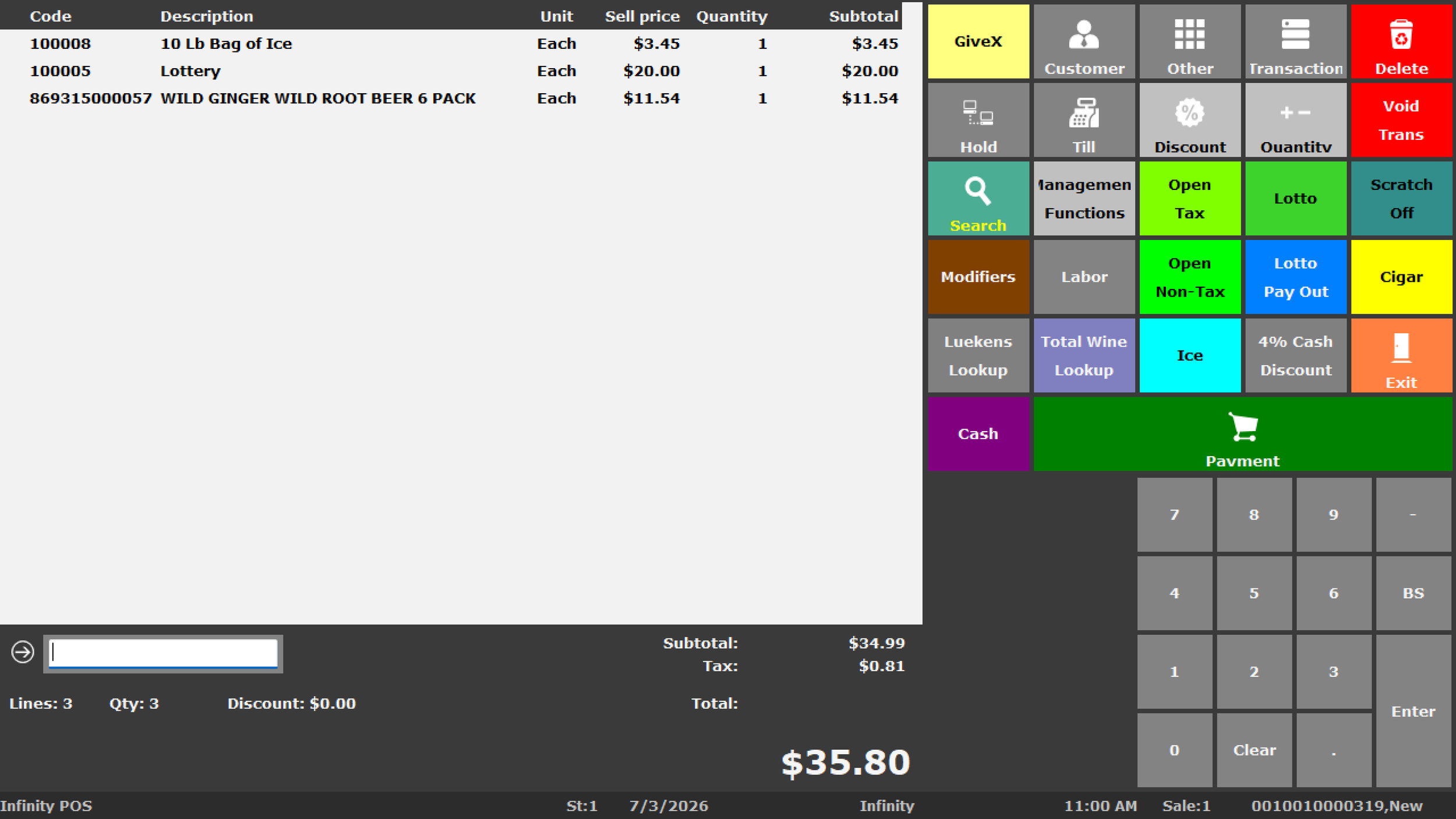
Quick Answer
The best POS system for a multi-store retailer should provide centralized management while preserving accurate store-level information. Look for inventory by location, store transfers, centralized product data, purchasing and receiving, role-based employee permissions, location and company-wide reporting, cash controls, compatible hardware, implementation support, and a clear path for adding additional locations.
Start With the Business
Do Not Choose a Multi-Store POS Based on Checkout Alone
Almost every modern POS can ring a sale. Multi-store retailers should focus on what happens before, after, and between transactions.
Inventory
Can management see inventory by location and understand what was sold, received, transferred, counted, adjusted, and ordered?
Purchasing
Can the business decide who orders, who approves, who receives, and whether excess stock at another location should be transferred first?
Reporting
Can owners compare stores and still drill into what happened at an individual location?
Employees
Can cashiers, receivers, managers, buyers, and owners have different permissions based on their responsibilities?
Hardware
Can registers, scanners, printers, cash drawers, scales, payment devices, and back-office equipment be standardized and supported?
Expansion
Can another location be added without creating another disconnected island of products, reports, inventory, and support?
Multi-Store POS Answer Center
What Features Matter Most in a Multi-Store POS System?
The most important multi-store POS features are the ones that keep separate locations connected without losing store-level accountability.
That generally means centralized product management, inventory by location, purchasing, receiving, store transfers, pricing controls, employee permissions, cash management, location reporting, consolidated reporting, barcode workflows, hardware compatibility, implementation planning, and reliable support.
Retailers should also evaluate what happens when a new location opens, whether existing hardware can be reused, how data is converted, how employees are trained, how payments integrate, and who provides support after installation.
The right system depends on the number of locations, product mix, inventory complexity, purchasing structure, employee roles, hardware requirements, network environment, payments, reporting needs, and growth plans.
Multi-Store POS Buying Checklist
Compare Systems on the Work Your Business Actually Needs to Do
| Area | Questions to Ask | Why It Matters |
|---|---|---|
| Inventory | Can I see stock by location? Can I see what is on order? Can I review movement and adjustments? | Without reliable location-level inventory, purchasing and transfer decisions become harder. |
| Transfers | Can inventory be transferred between locations with sending, receiving, and discrepancy tracking? | Informal store transfers are a common source of inventory errors. |
| Product Data | Can products, UPCs, departments, categories, vendors, and prices be centrally controlled? | Inconsistent item records make reporting and inventory less reliable. |
| Purchasing | Can purchasing be centralized or handled by defined store roles? | Retailers need control over who orders, approves, receives, and handles discrepancies. |
| Reporting | Can I review individual stores and company-wide results? | Consolidated totals are not enough when management needs to identify a specific location problem. |
| Employees | Can users have different permissions for refunds, voids, pricing, inventory, and reports? | Multi-store operations require stronger role separation and accountability. |
| Cash Control | Can I review drawer, tender, cashier, refund, void, and exception activity by store? | Owners need to identify where cash-control problems are occurring. |
| Hardware | Which scanners, printers, drawers, displays, scales, payment devices, and terminals are supported? | Hardware compatibility and standardization affect reliability and support. |
| Payments | Which processors and payment devices can be integrated? | Payments should fit the POS workflow instead of becoming a separate operating problem. |
| Expansion | How difficult is it to add another location? | A growing retailer should not need to redesign the entire system every time another store opens. |
| Support | Who supports software, hardware, training, payments, and implementation after the sale? | Support becomes more important as the number of stores and devices grows. |
How Requirements Change as You Grow
What Changes at 2 Stores, 5 Stores, and 10+ Locations?
Multi-store complexity usually grows faster than the store count because every additional location adds employees, inventory, hardware, reporting, purchasing, and support requirements.
2 Stores
Coordination Becomes Important
- Shared item records
- Inventory by location
- Basic store transfers
- Comparable reporting
- Consistent prices and procedures
- Defined manager permissions
Around 5 Stores
Central Management Matters More
- Central purchasing decisions
- More formal transfer workflows
- Regional or store manager roles
- Consistent hardware standards
- Company-wide reporting
- Documented training and support
10+ Locations
Process and Governance Become Critical
- Controlled item creation
- Purchasing authority structure
- Strong permission design
- Exception reporting
- Standardized rollout procedures
- Scalable support and expansion planning
When Basic POS Becomes Limiting
A Simple POS May Still Ring Sales While Holding the Business Back
A system does not have to be broken to become the wrong fit.
Many retailers start with simple checkout software because the business initially needs only basic transactions. Problems appear later as the business adds inventory, employees, purchasing, management reporting, locations, warehouse space, and more complicated workflows.
- Each location maintains separate product records
- Inventory cannot be reviewed across stores
- Transfers are handled outside the POS
- Reports must be combined manually
- Managers have too much system access
- Purchasing is fragmented
- Hardware varies by store
- Adding a location requires starting over
Ask This Instead
Is the POS Helping You Manage the Business or Only Record Sales?
A multi-store retailer should evaluate the system based on how much management work it removes, how much visibility it creates, and how well it supports the workflows that matter after the transaction.
See BizTracker Multi-Store POSVendor Evaluation
Questions to Ask Every Multi-Store POS Vendor
Inventory & Purchasing
- Can I see quantity by store?
- Can locations transfer inventory?
- Can I see open purchase orders?
- Can purchasing be controlled centrally?
- Can receiving be tracked by location?
- Can I investigate adjustments and variances?
Data & Pricing
- Who controls product records?
- Can locations create their own items?
- Can stores have different approved prices?
- How are company-wide changes distributed?
- How are duplicate items prevented?
- How is existing product data converted?
Reporting & Employees
- Can I compare stores?
- Can I drill into one location?
- Can managers see only the reports they need?
- Can refund and void permissions be restricted?
- Can inventory adjustments be controlled?
- Can employee activity be reviewed by location?
Implementation & Support
- Who installs the system?
- Who configures the hardware?
- Who trains employees?
- Who supports payment problems?
- Can anyone come onsite when needed?
- How is another location added later?
Common Buying Mistakes
What Multi-Store Retailers Often Discover Too Late
Choosing Based on Payment Rate
Payment pricing matters, but a lower processing rate does not solve poor inventory, weak reporting, purchasing problems, or lack of support.
Buying for Store #1
A system selected for one location may become difficult when the second or third store introduces transfers, shared products, reporting, and centralized management.
Ignoring Data Quality
Moving duplicate items, incorrect UPCs, bad departments, and inconsistent vendors into a new POS transfers old problems into the new system.
Assuming Every Store Is Identical
Locations may share products and policies while still requiring different inventory, users, hardware, pricing, or operating procedures.
Underestimating Training
Multi-store success depends on managers and employees understanding receiving, transfers, permissions, cash procedures, inventory, and escalation.
Ignoring Support Until Something Breaks
Software, hardware, networking, printers, scanners, payments, and employees all create support requirements after installation.
Inventory Is Usually the Hard Part
Multi-Store Inventory Is More Than Seeing a Quantity
Management needs to understand how inventory entered the business, where it moved, what was sold, what was counted, what was adjusted, and what is already on order.
- Inventory by location
- Store transfers
- Purchase orders
- Receiving
- Stock counts
- Adjustments
- Barcode workflows
- Replenishment decisions
- Slow-moving inventory

Real Multi-Store Use Cases
What the POS Should Help You Handle
Case 1
Store A Is Out and Store B Has 18
Management should be able to review location inventory and determine whether a transfer makes more sense than placing another supplier order.
Case 2
Price Changes Across Five Stores
The business needs a defined way to manage product and pricing changes instead of relying on each store to update information manually.
Case 3
Owner Is Away From the Stores
Management should be able to review sales, inventory, cash activity, purchasing, and store performance without calling every location.
Case 4
One Store Has a Shrink Problem
Company-wide totals should not hide unusual adjustments, inventory variances, cash activity, or employee behavior at an individual location.
Case 5
Another Location Is Opening
Products, hardware, payments, users, inventory, pricing, reporting, networking, training, and support should be planned before opening day.
Case 6
Every Store Has Its Own Process
The POS should support consistent company procedures while preserving the location-specific information owners and managers need.
Do Not Ignore Hardware and Support
The Best Software Is Still Dependent on the Rest of the POS Environment
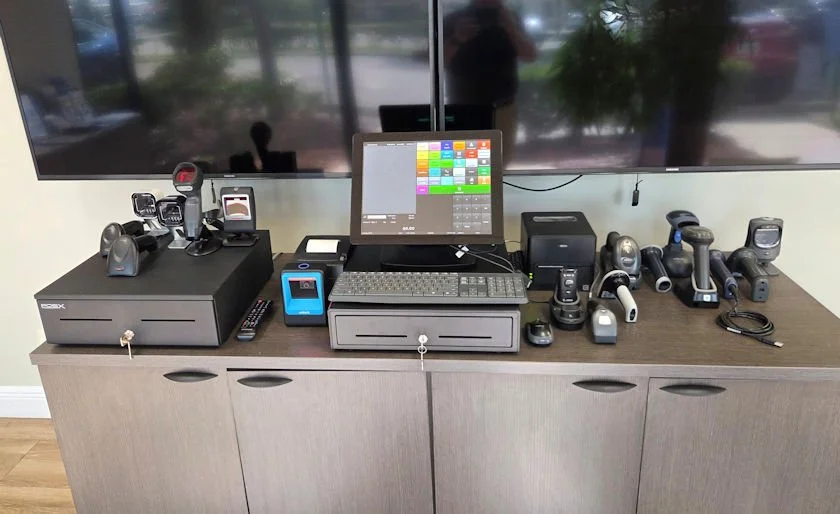
A multi-store system may depend on terminals, scanners, printers, cash drawers, customer displays, scales, payment devices, networking, operating systems, and back-office equipment.
Standardizing equipment where practical can make deployments, employee training, replacement planning, and support easier.
Compatibility:
Compatibility depends on your POS software, operating system, connection type, drivers, accessories, and configuration. Confirm compatibility before ordering.
Where BizTracker Infinity Fits
BizTracker Infinity Is Built for Retailers That Need More Operational Control
BizTracker Infinity connects checkout with inventory, purchasing, receiving, transfers, employee permissions, cash management, reporting, barcode workflows, customer information, and multi-store operations.
Inventory & Purchasing
Manage inventory by store, purchase orders, receiving, transfers, counts, adjustments, and replenishment workflows.
Multi-Store Inventory →Management & Reporting
Review store-level and company-wide information with employee permissions and cash-control workflows based on business requirements.
POS Reporting →Implementation & Support
BizTracker can help with planning, compatible hardware, configuration, installation, employee training, rollout, troubleshooting, and ongoing support.
Installation & Training →Multi-Store Retail Industries
The Right Multi-Store POS Depends on What You Sell
Liquor Stores
High-value inventory, bottles and cases, pricing, vendor purchasing, restricted products, shrink, transfers, and store comparison.
Liquor POS →Grocery Stores
Large item files, departments, receiving, labels, scales, inventory, checkout lanes, purchasing, and multi-store reporting.
Grocery POS →Convenience Stores
Fast checkout, frequent vendor deliveries, restricted categories, cash controls, replenishment, employees, and location reporting.
Convenience POS →Specialty Retail
Detailed product records, vendor management, inventory, transfers, customer information, employees, and location comparison.
Specialty Retail POS →Compare Your Current Setup
Get a Free Multi-Store POS Review
Instead of comparing feature lists, let BizTracker review how your stores currently handle inventory, transfers, purchasing, pricing, employees, reporting, hardware, payments, support, and expansion.
Tell Us About Your Current Setup
- How many locations do you have?
- What POS do you use today?
- Can you see inventory by location?
- How do you handle store transfers?
- Who manages purchasing?
- How are prices maintained?
- Can you compare stores easily?
- Are employee permissions adequate?
- Are you happy with current support?
- Are you adding another location?
- What hardware is currently installed?
- What is your biggest problem today?
Multi-Store POS Buying Questions
Frequently Asked Questions
What is the best POS system for multiple retail locations?
The best multi-store POS system is one that matches the retailer's inventory, purchasing, transfer, pricing, employee, reporting, hardware, payment, and support requirements. Retailers should evaluate store-level control and company-wide management rather than choosing based only on checkout features.
What features should a multi-store POS system have?
Important features may include inventory by location, centralized product management, store transfers, purchasing, receiving, role-based employee permissions, cash management, barcode workflows, location reporting, consolidated reporting, compatible hardware, and support for adding new locations.
Do I need a multi-store POS if I only have two locations?
Possibly. Two stores can already create problems with separate item records, inventory visibility, transfers, pricing, employee access, purchasing, and reporting. A multi-store system can help when managing the locations separately creates unnecessary work or inconsistent information.
Can multi-store POS software show inventory at every location?
A full multi-store retail POS should support location-level inventory visibility. Exact information varies by system and configuration but may include quantities, sales, receiving, transfers, adjustments, counts, purchase orders, and product movement.
Can inventory be transferred between stores?
Many multi-store POS systems support store-to-store transfers. Retailers should ask how transfers are approved, sent, received, and reconciled when quantities do not match.
Should product information be centralized?
Many multi-store retailers benefit from centralized control of UPCs, descriptions, departments, categories, vendors, costs, and other core product information. This helps reduce duplicate items and inconsistent data across stores.
Can different stores have different prices?
Some multi-store systems can support location-specific pricing. Retailers should define whether pricing is company-wide, location-specific, or controlled through an approval process before selecting and configuring the POS.
Can a multi-store POS manage purchasing?
A strong multi-store retail system may support purchase orders, receiving, vendor records, replenishment, and location-level inventory. The retailer should determine whether purchasing is centralized, store-managed, or divided between different roles.
Can I compare store performance?
Multi-store reporting should allow management to review individual locations and company-wide results. Useful reporting may include sales, products, departments, inventory, employees, tenders, cash activity, and other operational measures.
Can employees have different permissions?
Role-based permissions are important for multi-store retailers. Cashiers, receivers, managers, buyers, inventory staff, regional managers, and owners may need different access to refunds, voids, pricing, purchasing, inventory adjustments, reports, and system settings.
Should I choose a POS based on credit card processing rates?
Processing cost is one factor, but it should not be the only reason to choose a POS. Inventory accuracy, purchasing, reporting, employee control, reliability, hardware, support, and the ability to grow may have a larger impact on daily operations.
Can existing POS hardware be reused?
Sometimes. Existing hardware should be reviewed for software compatibility, operating system requirements, connection type, drivers, condition, payment integration, accessories, and support before assuming it can be retained.
What should I ask about POS support?
Ask who supports the software, hardware, printers, scanners, payments, networking, employee training, and implementation. Also ask whether onsite help is available, how problems are escalated, and what happens after installation.
Does BizTracker Infinity support multi-store retail?
Yes. BizTracker Infinity can be configured for multi-store retailers that need inventory by location, transfers, purchasing, receiving, reporting, employee permissions, cash management, centralized product information, compatible hardware, implementation, and support.
What retailers are a good fit for BizTracker Infinity?
BizTracker Infinity may be a good fit for liquor stores, grocery stores, convenience stores, specialty retailers, regional retail chains, and other businesses that need more operational detail than basic checkout software.
Compare Your Current POS Before You Replace It
Find Out Whether Your POS Is Ready for the Next Store
BizTracker can review your current inventory, purchasing, transfers, pricing, reporting, employees, hardware, payments, support, and growth plans before recommending a multi-store POS solution.
Get My Free Multi-Store POS Review Call (877) 767-1249Need help comparing multi-store POS options? Chat with a BizTracker specialist.
Schedule a Multi-Store POS Demo
See how BizTracker Infinity POS handles multi-location inventory, transfers, centralised pricing, cash controls and cross-store reporting. Bring your store count and structure and we will map them out.
Tampa Bay showroom, on-site and remote demos available.