
Local Tampa POS Software, Hardware & Support
Need a POS Company in Tampa That Can Actually Help When Something Goes Wrong?
BizTracker helps Tampa restaurants and retailers improve checkout, inventory, reporting, employee control, payments, POS hardware, installation, training, and ongoing support.
Start with the problems in your business. We can review your current POS and help determine whether the next step is better configuration, hardware, training, support, or a different POS system.
Get a Free Tampa POS & Business Review Have a POS Problem? Call (877) 767-1249Serving businesses since 1996 • Tampa Bay office • Remote support • Onsite service options
Quick Answer
BizTracker is a local Tampa Bay POS company providing POS software, commercial POS hardware, installation, training, inventory tools, reporting, payment guidance, remote support, and onsite service options. We work with retailers, restaurants, liquor stores, grocery stores, convenience stores, specialty businesses, and multi-location operators that need more than a basic checkout system.
Why Tampa Businesses Start Looking
Usually, It Is Not Because They Want a Different Register
Business owners normally start looking because the current POS is creating a problem that is costing time, control, visibility, or confidence.
Poor POS Support
You wait too long for answers, get passed between departments, or keep dealing with the same problem without a permanent solution.
Get a POS Support Second Opinion →Inventory Does Not Match
Receiving, purchasing, barcode records, stock counts, shrink, and adjustments may be making inventory difficult to trust.
Inventory Management →Reports Are Not Useful
Management cannot easily answer questions about sales, products, employees, inventory, margins, cash, or store performance.
Retail POS Reporting →Hardware Is Unreliable
POS terminals, scanners, printers, cash drawers, scales, kitchen printers, or payment devices may be creating daily interruptions.
POS Hardware →Employee Control Is Weak
Refunds, voids, discounts, cash drawers, price changes, inventory adjustments, or other sensitive functions may need stronger controls.
Cash & Employee Control →The Business Is Growing
Adding another store can expose weaknesses in inventory, product data, reporting, purchasing, permissions, hardware, and support.
Multi-Store POS →Tampa POS Answer Center
What Should You Look for in a Tampa POS Company?
A Tampa business should look for a POS provider that understands more than the checkout screen.
The provider should be able to help with software, compatible commercial hardware, inventory, purchasing, reporting, employee permissions, payments, installation, training, and ongoing support.
Local availability can also matter when a business needs onsite installation, equipment replacement, staff training, or troubleshooting that cannot easily be handled remotely.
BizTracker works with Tampa Bay businesses remotely and onsite where available, with decades of practical POS experience.
Trusted by Tampa Bay Businesses
Local Businesses Depend on Reliable POS Operations
BizTracker has worked with established Tampa Bay businesses that depend on reliable POS software, hardware, inventory, reporting, installation, training, and ongoing support.

Luekens Wine & Spirits
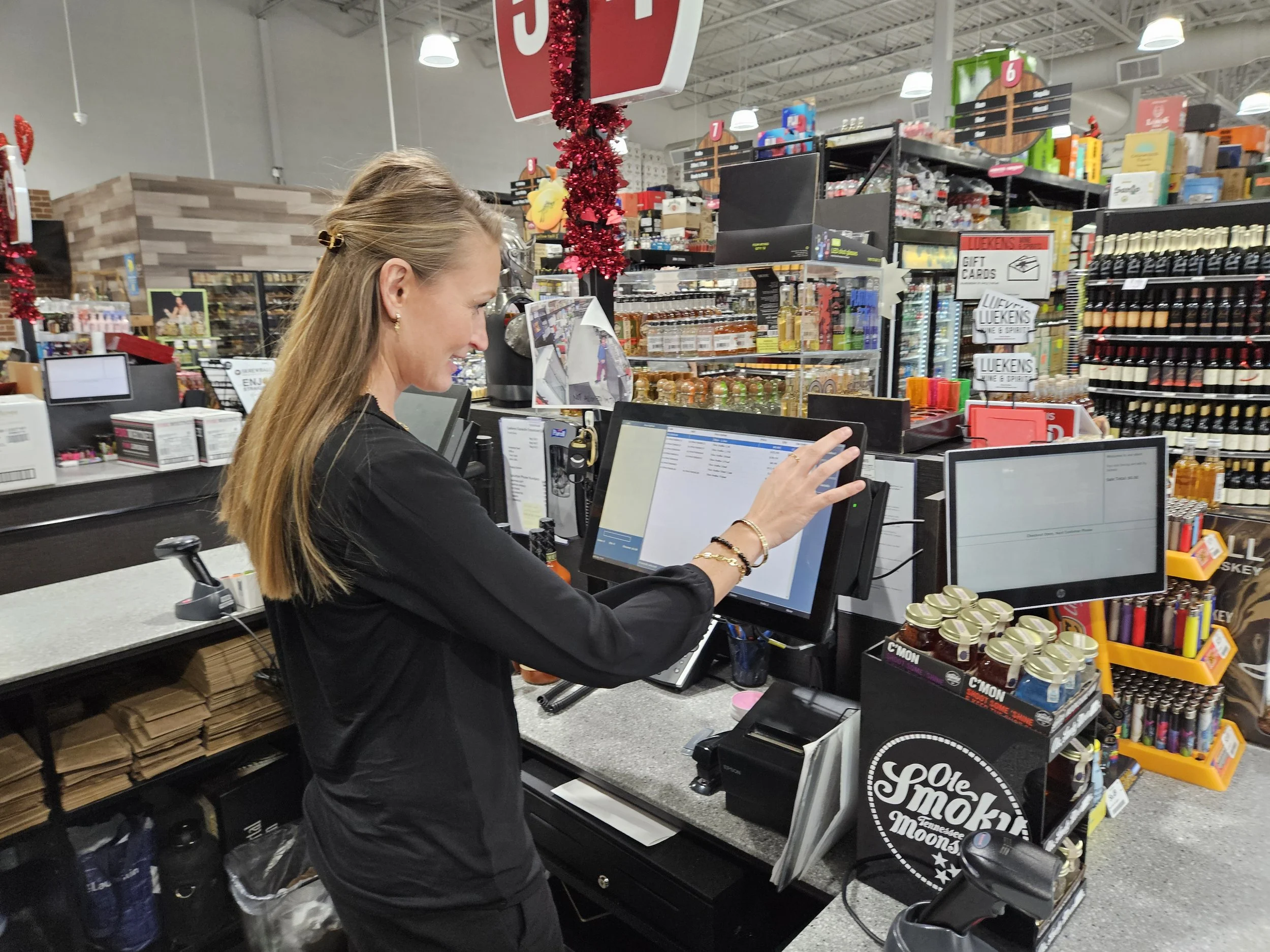
A Tampa Bay retail environment where barcode checkout, inventory, purchasing, reporting, employee control, and dependable POS operations matter every day.
Mazzaro's Italian Market
A well-known Tampa Bay market environment with demanding checkout, product, inventory, employee, hardware, and operational requirements.
When POS is critical to daily operations, local experience, dependable hardware, and responsive support matter.
Get a Free Tampa POS & Business ReviewPOS Systems for Tampa Businesses
Match the POS to the Business, Not the Other Way Around
A restaurant, liquor store, grocery market, convenience store, and specialty retailer may all need a POS system, but their daily workflows are very different.
Tampa Retail POS
Manage barcode checkout, products, inventory, purchasing, receiving, customers, employees, cash, reporting, and store operations.
Retail POS Software →Tampa Restaurant POS
Support menus, modifiers, table service, counter service, kitchen workflows, bar tabs, online ordering, payments, employees, and restaurant reporting.
Restaurant POS →Tampa Liquor Store POS
Support barcode checkout, bottles, packs, cases, inventory, age-restricted workflows, vendor purchasing, pricing, shrink review, and reporting.
Liquor Store POS →Tampa Grocery POS
Manage large item files, departments, inventory, purchasing, receiving, barcode scanning, scales, labels, pricing, and checkout.
Grocery Store POS →Tampa Convenience Store POS
Support fast checkout, barcode inventory, vendor deliveries, employee controls, restricted products, cash management, and reporting.
Convenience Store POS →Tampa Multi-Store POS
Manage location inventory, transfers, purchasing, product data, employees, reporting, cash controls, and head-office visibility.
Multi-Store POS →BizTracker Infinity Retail POS
Retail POS Should Connect Checkout With the Rest of the Business
BizTracker Infinity is designed for retailers that need more operational control than a basic register.
Depending on configuration, Infinity can connect checkout with inventory, purchasing, receiving, barcode workflows, employee permissions, cash management, reporting, customer information, and multi-store operations.
Explore BizTracker Infinity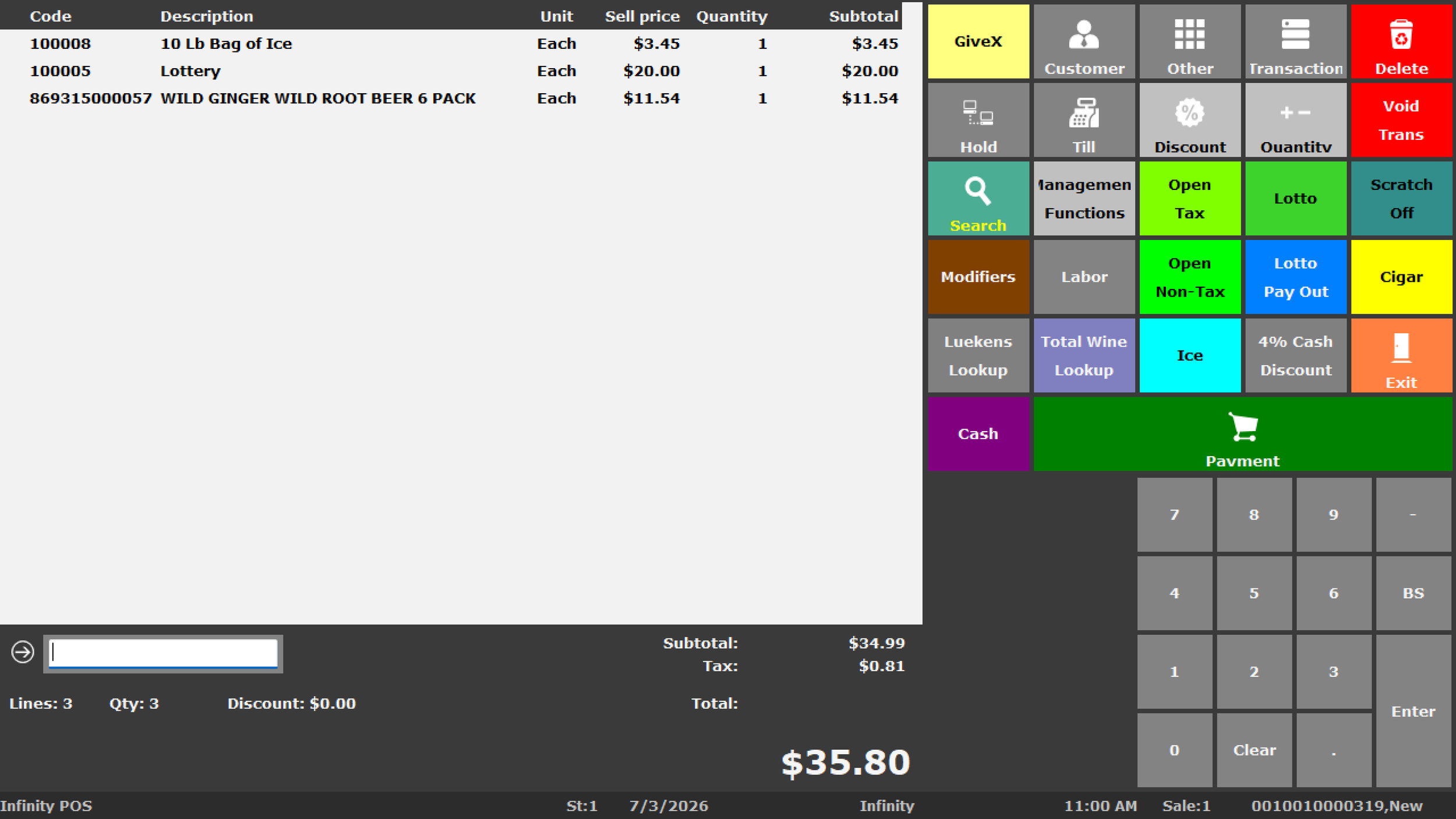
Commercial POS Hardware
POS Hardware Has to Work in the Real Store
Reliable checkout depends on more than the software screen.
A complete commercial POS system may include terminals, barcode scanners, receipt printers, cash drawers, customer displays, label printers, scales, kitchen printers, payment devices, networking, and back-office equipment.
- Commercial POS terminals
- Barcode scanners
- Receipt printers
- Cash drawers
- Customer displays
- Label printers
- Retail scales
- Kitchen printers
- Payment devices
Compatibility:
Compatibility depends on your POS software, operating system, connection type, drivers, accessories, and configuration. Confirm compatibility before ordering.
Inventory & Barcode POS
Barcode Hardware and Inventory Software Need to Work Together
Retail inventory accuracy depends on more than scanning a UPC.
Product records, purchasing, receiving, stock counts, adjustments, label printing, employee procedures, and reporting all affect inventory accuracy.
- Barcode checkout
- Product lookup
- Inventory receiving
- Stock counts
- Product labels
- Shelf labels
- Inventory reporting
Inventory Review
Why Does Inventory Stop Matching the Shelf?
- Incorrect UPC records
- Receiving mistakes
- Duplicate products
- Returns handled incorrectly
- Damaged merchandise
- Inventory adjustments
- Shrink
- Stock-count mistakes
- Transfer errors
Tired of Waiting for POS Support?
Get a Second Opinion From a Local Tampa Bay POS Team
If your current provider is difficult to reach, keeps giving temporary fixes, or is not helping you improve the way the business operates, you do not have to immediately replace everything.
BizTracker can review the current software, hardware, inventory, reporting, payments, support situation, and business workflow to help identify the best next step.
Get a POS Support Second OpinionCommon Support Complaints
- Support does not answer quickly
- The same problem keeps returning
- No one understands the complete system
- Hardware and software vendors blame each other
- Employees were never properly trained
- Reports were never configured correctly
- Inventory problems remain unresolved
- No local help is available
Reporting & Management
Your POS Should Help You Understand the Business
Business owners need more than an end-of-day sales total.
BizTracker Infinity reporting can help management review sales, products, inventory, employees, cash, purchasing, margins, customers, and multiple locations depending on configuration.
Retail POS ReportingOwner Visibility
Can Your Current POS Answer These Questions?
- What sold yesterday?
- What is not selling?
- What inventory is wrong?
- What is already on order?
- Who performed a refund?
- Which cashier was short?
- Which products have weak margins?
- Which store needs attention?
Installation & Training
A POS Installation Is More Than Putting Equipment on the Counter
A successful rollout may require software configuration, product data, users, permissions, printers, scanners, payments, inventory procedures, reporting, networking, and employee training.
BizTracker can help plan and support the complete POS environment based on the project and customer requirements.
POS Installation & TrainingLocal Tampa Area Support
Supporting Businesses Throughout Tampa and Nearby Communities
BizTracker serves businesses throughout Tampa Bay, with local support options depending on location, schedule, equipment, and project requirements.
Tampa
Retail, restaurant, grocery, liquor, convenience, and specialty POS systems.
South Tampa
POS software, commercial hardware, installation, training, and support.
Brandon & Riverview
POS systems for growing retailers, restaurants, and multi-location businesses.
Westchase & Carrollwood
Retail and restaurant POS support, inventory, reporting, and hardware guidance.
We also work with businesses in Temple Terrace, Ybor City, Seminole Heights, Town 'n' Country, St. Petersburg, Clearwater, Largo, Pinellas Park, and other Tampa Bay communities.
How the Free Tampa POS Review Works
Start With What Is Not Working
Tell Us the Problem
Explain what made you start looking and what you want the POS to improve.
Review the Current Setup
We can review software, hardware, inventory, reporting, payments, employees, and support requirements.
Identify the Gaps
Determine whether the problem is related to software, configuration, procedures, hardware, training, or support.
Build the Next Step
Decide whether you need improvements to the current setup or a different POS solution.
Local POS Experience Since 1996
Work With a Tampa Bay Team That Understands the Complete POS Environment
BizTracker has decades of experience with POS software, commercial hardware, inventory, barcode systems, payments, installation, training, reporting, and support.
Get a Free POS & Business Review Call (877) 767-1249Free Tampa POS & Business Operations Review
What Made You Start Looking for a Better POS?
You do not need to know which POS system you want. Tell us what is not working and BizTracker can help determine the next step.
- Current POS provider gives poor support
- Inventory does not match
- Reports do not answer our questions
- Employee or cash controls are weak
- POS hardware is unreliable
- Opening another location
- Purchasing takes too much time
- Need better barcode or label workflows
- Replacing an old POS or cash register
- Current system no longer fits the business
No obligation. Start with the problem and we will help you determine the practical next step.
Tampa POS Questions
Frequently Asked Questions
Does BizTracker provide POS systems in Tampa, Florida?
Yes. BizTracker serves businesses throughout Tampa and the Tampa Bay area with POS software, commercial hardware, setup, training, inventory tools, reporting, remote support, and onsite service options depending on the project and location.
Can BizTracker provide onsite POS support in Tampa?
BizTracker provides onsite service options for eligible Tampa Bay customers depending on location, equipment, schedule, and service requirements. Remote support is also available.
What types of Tampa businesses does BizTracker support?
BizTracker works with retail stores, restaurants, liquor stores, grocery stores, convenience stores, specialty retailers, and multi-location businesses.
Can BizTracker help if our current POS support is poor?
Yes. BizTracker can review your current software, hardware, inventory, reporting, payment setup, and support situation and help determine whether better configuration, training, hardware, support, or a different POS system may be appropriate.
Can BizTracker help with inaccurate inventory?
Yes. BizTracker can help review product records, purchasing, receiving, barcode workflows, stock counts, adjustments, employee procedures, transfers, and inventory reporting to identify possible causes of inaccurate inventory.
Can BizTracker help with POS reporting?
Yes. BizTracker Infinity can support reporting across sales, inventory, employees, cash management, purchasing, customers, payments, and multiple locations depending on configuration.
Does BizTracker provide restaurant POS systems in Tampa?
Yes. BizTracker offers restaurant POS solutions for businesses that may need counter service, table service, menus, modifiers, kitchen workflows, online ordering, payments, employee tools, and reporting.
Does BizTracker provide retail POS systems in Tampa?
Yes. BizTracker Infinity can support retail checkout, inventory, purchasing, receiving, barcode scanning, customers, employees, cash controls, reporting, and multi-store operations depending on configuration.
Can BizTracker support liquor stores in Tampa?
Yes. BizTracker supports liquor-store workflows including barcode checkout, inventory, age-restricted item procedures, purchasing, pricing, employee controls, reporting, and multi-store management.
Can BizTracker support grocery and convenience stores?
Yes. BizTracker works with grocery and convenience businesses that need barcode checkout, large item files, inventory, purchasing, receiving, employee controls, reporting, compatible scales or labels, and other retail workflows.
Can BizTracker support multiple locations?
Yes. BizTracker Infinity can support multi-store inventory, transfers, centralized product information, purchasing, employee permissions, reporting, cash controls, and location management depending on configuration.
Can BizTracker reuse our existing POS hardware?
Sometimes. Existing equipment should be reviewed for software compatibility, operating system, condition, connection type, drivers, payment requirements, accessories, and configuration before a final decision is made.
Does BizTracker provide installation and training?
Yes. BizTracker can assist with planning, configuration, compatible hardware, installation, testing, employee training, rollout, and ongoing support depending on the project.
Do I have to replace my current POS to talk with BizTracker?
No. You can start with a review of the current situation. The goal is to understand what is causing the business problem before deciding whether the best answer is configuration, support, hardware, training, or replacement.
How do I get started?
Start with the Free POS & Business Operations Review or call BizTracker at (877) 767-1249. Tell us what made you start looking and what problem you want to solve.
Local Tampa POS Help
Tell Us What Your Current POS Is Not Doing Well
Start with the business problem. BizTracker can help review the POS software, hardware, inventory, reporting, employee controls, payments, support, and store workflows behind it.
Get My Free Tampa POS Review Call (877) 767-1249Need help now? Chat with a BizTracker POS specialist.