
POS Systems for Pinellas County Businesses
Get more than a checkout screen and a box shipped to your door. BizTracker helps Pinellas County businesses plan, install and support complete POS systems built around inventory accuracy, dependable checkout, useful reporting and the way your employees actually work.
Quick answer: A good Pinellas County POS system should help your business control inventory, complete transactions reliably, manage employees, produce useful reports and get help when something goes wrong. BizTracker combines software, compatible hardware, setup, training and local support instead of leaving you to assemble the system alone.
Your POS Should Solve Operating Problems, Not Create New Ones
Most owners do not replace a POS system because they want different buttons. They replace it because the current system is costing time, hiding information or disrupting daily operations.
Inventory Cannot Be Trusted
The system says an item is in stock, but the shelf is empty. Receiving, transfers, adjustments or product records may not be handled consistently.
Checkout Is Slow or Unreliable
Aging terminals, scanning problems, printer failures and employee workarounds can slow lines and frustrate customers.
Reports Do Not Answer Questions
Owners need useful sales, cost, margin, inventory and employee information—not reports that require hours of cleanup.
Price Changes Take Too Long
Updating products, shelf labels, barcodes, departments and costs should not require repetitive manual work throughout the store.
Employees Use Too Many Workarounds
Handwritten notes, duplicate entry, separate spreadsheets and undocumented procedures often signal that the POS no longer fits the business.
Support Is Too Far Away
A national help desk may not understand your equipment, store layout, item file or the effect of downtime on a local business.
Work With a POS Company That Can Understand the Whole Store
Software is only one part of a working POS system. The terminals, scanners, printers, cash drawers, payment equipment, labels, item data, network and employee procedures all have to work together.
BizTracker helps Pinellas County business owners review the complete operation before recommending a solution. That may include replacing an outdated system, correcting a weak inventory process, adding compatible hardware or planning a new store installation.
- Review your current software, hardware and checkout workflow
- Identify inventory, reporting and employee-control problems
- Determine which equipment may be reused and what should be replaced
- Plan installation, item data, testing and employee training
- Provide a clearer support path after the system goes live
BizTracker Infinity POS for Inventory-Driven Businesses
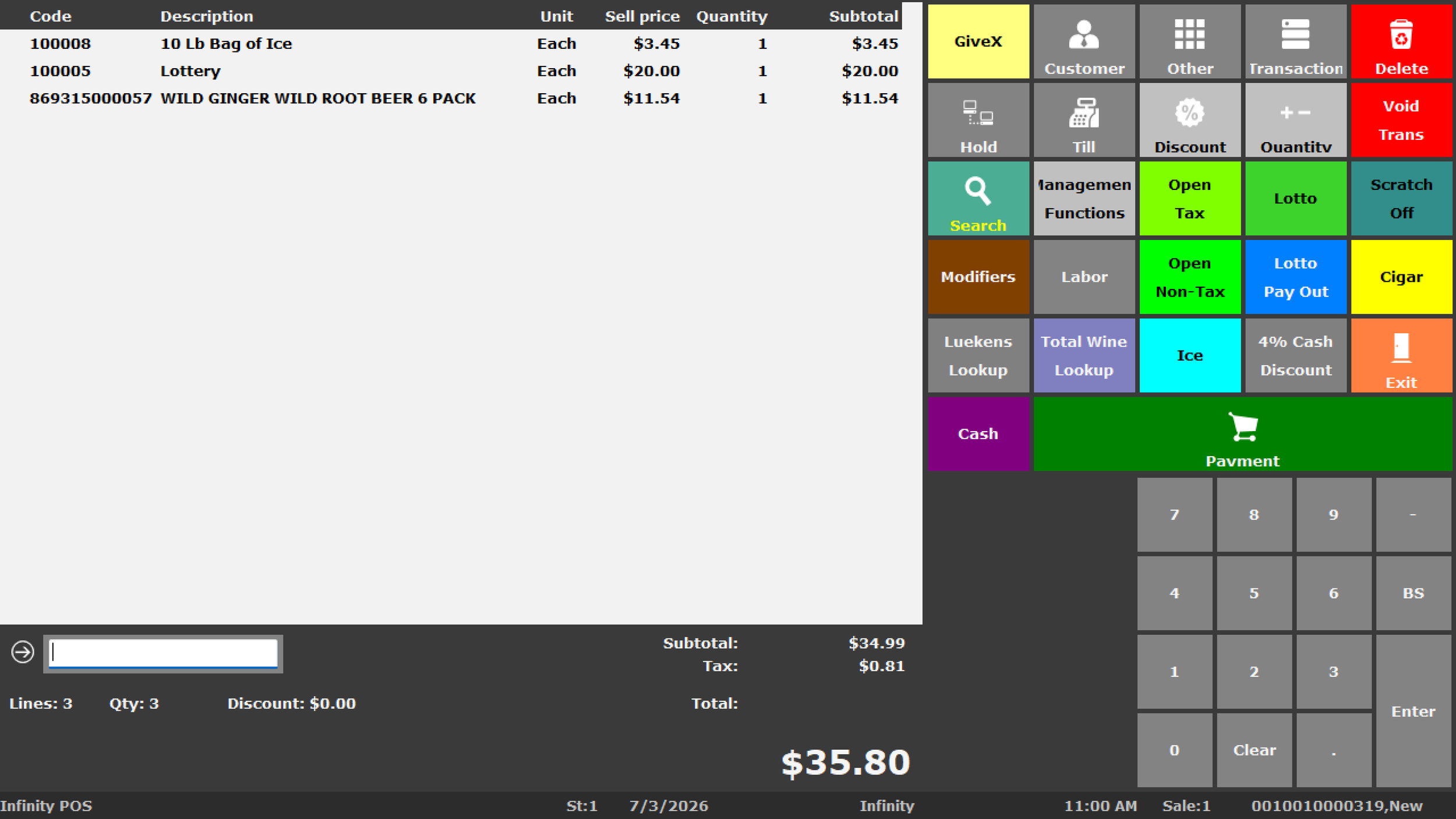
BizTracker Infinity POS is designed for businesses that need more control than a basic cash register or simplified tablet checkout system. It brings checkout, item management, inventory, purchasing, reporting and management tools into one operating platform.
The system can be configured around the needs of liquor stores, convenience stores, grocery stores, specialty retailers and multi-location retail operations.
- Barcode scanning and fast item lookup
- Departments, classes, costs, prices and tax settings
- Inventory counts, adjustments and item movement
- Purchase-order and receiving workflows
- Employee permissions and management controls
- Sales, inventory and operational reporting
- Label printing and price-change workflows
- Multi-store visibility where configured
Turn Daily Transactions Into Better Business Information
The value of a POS system is not limited to processing a sale. A properly planned system should help the owner understand what is selling, what needs attention and where money or merchandise may be getting lost.
Inventory Accuracy
Build cleaner item records and more consistent receiving, stock-count and adjustment procedures.
Shrink and Employee Control
Use permissions and reporting to improve visibility into voids, discounts, refunds and sensitive functions.
Purchasing and Receiving
Organize supplier, cost and receiving information so inventory updates are easier to review.
Management Reporting
Create a more useful structure for reviewing sales, item movement, departments, costs and margins.
Available features and workflows depend on the selected software configuration, hardware, integrations and business requirements.
POS Systems Built Around the Way Your Business Operates
A liquor store, grocery store, convenience store and restaurant should not be forced into the same workflow. BizTracker helps match the software and hardware to the business.
Liquor Stores
Plan fast barcode scanning, case and single-item workflows, age-restricted item controls, price changes, labels, inventory reporting and dependable checkout hardware.
Liquor Store POSConvenience Stores
Improve checkout speed, cash control, item reporting, barcode scanning, employee permissions and management visibility.
Convenience Store POSGrocery and Specialty Food
Review department setup, frequent price changes, vendor information, receiving, stock counts, labels, scales and inventory procedures.
Grocery Store POSRetail Stores
Build better item files, scanning, labels, purchasing, inventory controls and reporting for general or specialty retail operations.
Retail POS SoftwareMulti-Location Retailers
Create consistent products, permissions, reporting, inventory procedures and hardware standards across multiple stores.
Multi-Store POSRestaurants and Food Service
BizTracker offers LINGA POS for restaurants, cafés, bars and food-service businesses that need menu, modifier, kitchen and table-service workflows.
Restaurant POSInfinity POS for Retail and LINGA POS for Restaurants
BizTracker separates retail and restaurant requirements instead of pretending one configuration is ideal for every business.
| Business Need | BizTracker Infinity POS | LINGA Restaurant POS |
|---|---|---|
| Best suited for | Retail, liquor, convenience, grocery, specialty retail and multi-store operations | Restaurants, cafés, bars and food-service operations |
| Primary workflow | Barcode-driven sales, products, inventory, purchasing, labels and retail reporting | Menus, modifiers, tables, courses, kitchen routing, tabs and restaurant reporting |
| Inventory focus | Retail item records, quantities, receiving, stock counts and product movement | Restaurant menu and ingredient-related workflows based on selected configuration |
| Hardware planning | Scanners, receipt printers, cash drawers, label printers, scales and retail terminals | Restaurant terminals, kitchen printers or displays, payment equipment and service-area hardware |
BizTracker reviews the business requirements before recommending a platform. Hardware, integrations and specific features must be confirmed before purchase.
Plan the Entire POS Stack Together
A software recommendation is incomplete if the supporting equipment cannot handle the daily workload. BizTracker can help review compatible hardware and how it fits the counter, store and employee workflow.
- POS terminals and touchscreen workstations
- Barcode scanners and product lookup tools
- Receipt, kitchen and label printers
- Cash drawers and customer displays
- Scales and scale-related retail workflows
- Payment terminals and processing setup review
- Network, backup and failover considerations
A Better POS Changeover Starts Before Installation Day
Moving to a new system requires more than swapping terminals. Data, hardware, procedures, permissions, training and payment workflows all need to be reviewed.
Review the Current Operation
Identify the problems with checkout, inventory, reporting, employee procedures, hardware, payments and support.
Evaluate Existing Equipment
Determine which terminals, scanners, printers, drawers, displays or network components may remain useful.
Prepare Item Data
Review products, UPCs, descriptions, departments, prices, costs, taxes and duplicate records before conversion.
Configure and Test
Test transactions, scanning, receipts, labels, drawers, permissions, reports and other required workflows.
Train Employees
Prepare cashiers and managers for the tasks they will perform, including exceptions and manager approvals.
Support the Go-Live
Establish a support plan for questions, troubleshooting and adjustments after the system begins processing live transactions.
POS Help for Businesses Throughout Pinellas County
BizTracker serves businesses across Pinellas County and the greater Tampa Bay area. Service options depend on the project, location, schedule and type of assistance required.
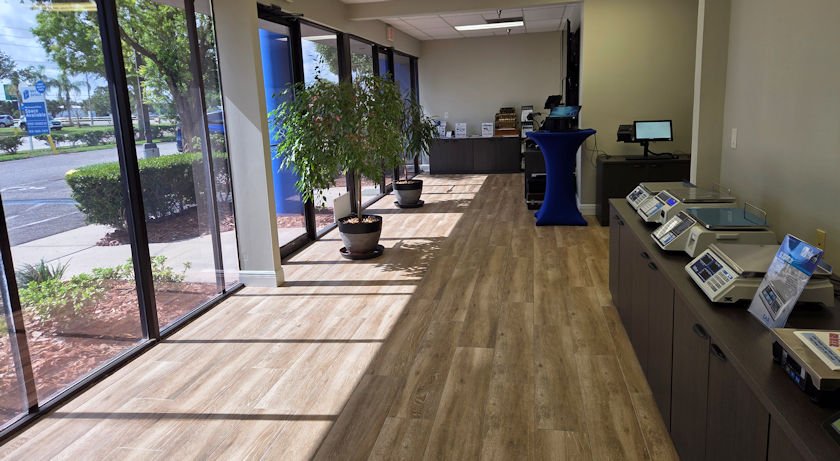
A Real Local Office, Showroom and Support Operation
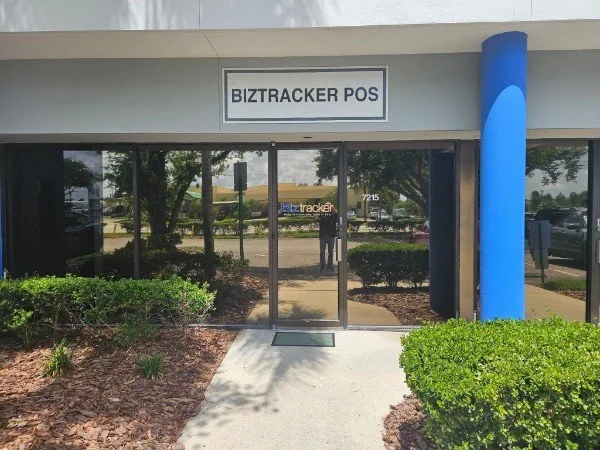
Pinellas County business owners can work with a company that has a physical Tampa Bay location, equipment to review and local service capabilities.
Tell Us What Is Not Working With Your Current POS
The fastest way to determine whether BizTracker is a fit is to describe the operating problem—not just request a generic POS price.
Helpful information includes:
- Your type of business
- Number of checkout lanes and locations
- The POS system currently in use
- Inventory, reporting or checkout problems
- Hardware you hope to keep
- Payment-processing requirements
- Your desired installation timeline
Continue Planning Your POS Project
Inventory Management
Learn how product setup, receiving, counts, adjustments and reporting affect inventory accuracy.
Inventory ManagementShrink and Loss Prevention
Review reporting and employee controls that can help owners investigate inventory and transaction problems.
Shrink ReportingPayment Workflow Review
Compare integrated and separate card-terminal approaches and understand how payment flow affects checkout.
Compare Payment SetupsPinellas County POS System Questions
Does BizTracker provide POS systems in Pinellas County?
Yes. BizTracker works with businesses in Pinellas County and the greater Tampa Bay area. Services may include POS software, compatible hardware, installation planning, item-file preparation, training, inventory workflow review and support. Availability depends on the location, project scope and schedule.
What types of Pinellas County businesses does BizTracker serve?
BizTracker works with liquor stores, convenience stores, grocery stores, specialty retailers, general retail businesses, multi-location retailers, restaurants, cafés, bars and other businesses that need reliable checkout and management tools.
Which POS system does BizTracker use for retail businesses?
BizTracker Infinity POS is the primary platform for inventory-driven retail businesses, including liquor, convenience, grocery, specialty retail and multi-store operations. The recommended configuration depends on the business workflow and required features.
Which POS system does BizTracker use for restaurants?
BizTracker offers LINGA POS for restaurants, cafés, bars and food-service businesses. Restaurant requirements such as menus, modifiers, kitchen routing, tables and tabs are evaluated separately from retail inventory workflows.
Can BizTracker replace an old or unsupported POS system?
Yes. BizTracker can review the current system, identify replacement requirements, evaluate hardware, prepare product data, plan configuration, test the new setup and train employees. The amount of data that can be converted depends on the existing system and available export files.
Can we keep any of our existing POS hardware?
Possibly. Existing terminals, scanners, printers, cash drawers, payment devices and other equipment must be reviewed for condition, connection type, driver support and compatibility. BizTracker will not assume that equipment is compatible without checking it.
Does BizTracker help with inventory setup?
Yes. Inventory planning may include product records, UPCs, SKUs, departments, prices, costs, tax settings, suppliers, receiving, purchase orders, stock counts, adjustments, label workflows and reporting.
Does BizTracker provide employee training?
Training can be included based on the project. Training may cover cashier transactions, scanning, item lookup, receipts, returns, discounts, manager approvals, reports, inventory tasks and other functions required by the business.
Is onsite POS support available in Pinellas County?
Onsite support may be available depending on the project, location, schedule and type of service required. BizTracker can also provide remote support and showroom assistance when appropriate.
Can BizTracker review our credit card processing setup?
Yes. BizTracker can review the payment workflow and discuss integrated or separate terminal options. Businesses can also request a merchant-statement review to better understand rates, recurring fees and equipment charges.
How do we get started?
Start by scheduling a POS review or contacting BizTracker with your business type, number of locations, current system, primary operating problems and desired timeline. BizTracker can then determine the next appropriate step.
Build a Better POS System for Your Pinellas County Business
Let BizTracker review your checkout, inventory, reporting, hardware and support needs before you invest in another system that may not solve the real problem.