
Grocery Store POS Software • BizTracker Infinity • Serving Retailers Since 1996
Grocery Store POS Software for Checkout, Scales, Inventory and Benefits
Keep checkout moving while controlling thousands of products, weighted items, vendor costs, price changes, inventory and government-benefit transactions.
BizTracker Infinity connects grocery checkout with product files, purchasing, receiving, stock counts, labels, cashier controls, reporting and multi-store operations.
- Fast barcode checkout
- Weighted-item workflows
- EBT and approved eWIC options
- Purchasing and receiving
- Shelf and barcode labels
- Single-store or multi-store use
Prefer to speak with someone? Call (877) 767-1249
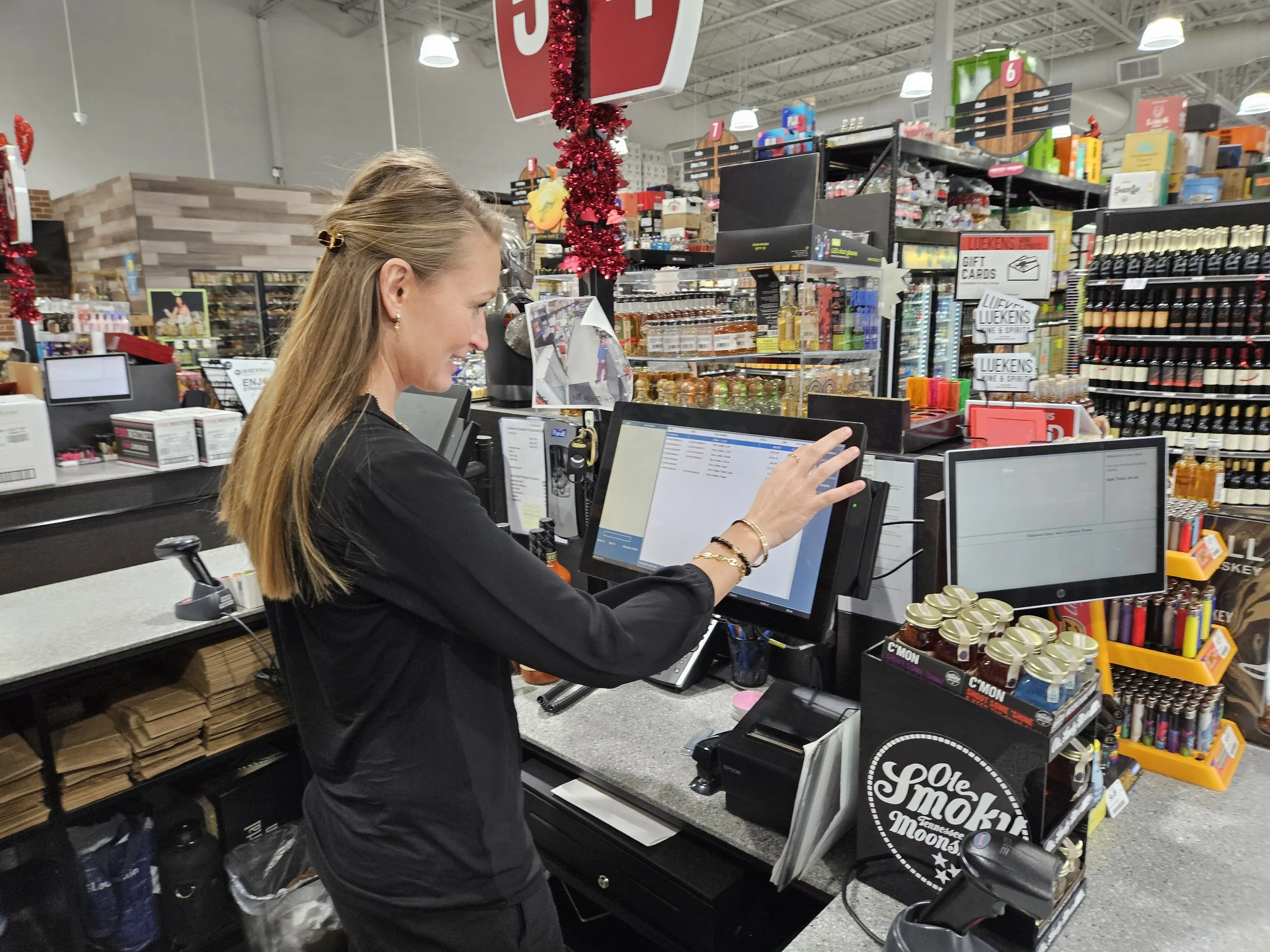
Schedule your grocery POS demo
Before We Schedule Your Demo
Tell us a little about your grocery operation so we can tailor your BizTracker Infinity demo to your lanes, products and biggest operational priorities.
Step 1 of 2 — Tell Us About Your Store
A few quick answers help us prepare a useful grocery demo instead of a generic POS presentation.
Step 2 of 2 — Where Should We Send Your Demo Confirmation?
We’ll save the store details you just provided so the BizTracker team can prepare before your demo.
You’re all set — choose a demo time
We’ve saved your grocery-store information. Pick a time that works for you using the BizTracker scheduling calendar.
The problems grocery owners need solved
A Grocery POS Should Keep Checkout Fast Without Losing Store Control
Grocery retailers need more than a register. They need scanning, scales, benefits, prices, inventory, vendors and cashier procedures to work together reliably.
Checkout slows down when products, prices or barcodes are wrong.
Large grocery product files require consistent UPCs, descriptions, prices, departments, taxes and item settings.
How Infinity helpsMaintain structured product records that support scanning, lookup, pricing, labels, reporting and inventory procedures.
Weighted meat, produce and deli items do not behave like packaged goods.
Random-weight products may depend on scale labels, embedded barcodes, item codes, unit prices and compatible hardware.
How Infinity helpsConfigure supported weighted-item and label workflows around the store’s scales, printers, barcode format and department procedures.
Vendor costs and retail prices change constantly.
Cost increases, substitutions and receiving discrepancies can reduce margins or create incorrect shelf prices.
How Infinity helpsConnect suppliers, purchase orders, receiving, cost review, product pricing and compatible shelf-label workflows.
Benefit transactions and hardware compatibility create uncertainty.
EBT, eWIC, scales, payment devices and scanner-scales require exact processor, agency, model and configuration review.
How Infinity helpsBizTracker can review the required software, approvals, processor, hardware and store configuration before implementation.
Built for grocery operations
Connect Checkout With the Work Happening Throughout the Store
Every grocery transaction depends on product data, prices, taxes, suppliers, inventory, labels, benefits, cashier permissions and reporting.
BizTracker Infinity is designed for inventory-heavy retailers that need these workflows connected instead of maintained through separate spreadsheets and manual procedures.
- Manage large UPC and product databases.
- Maintain departments, taxes, costs and retail prices.
- Create purchase orders and receive vendor deliveries.
- Support weighted items where properly configured.
- Print compatible barcode, shelf and random-weight labels.
- Review sales, margins, inventory and cashier activity.
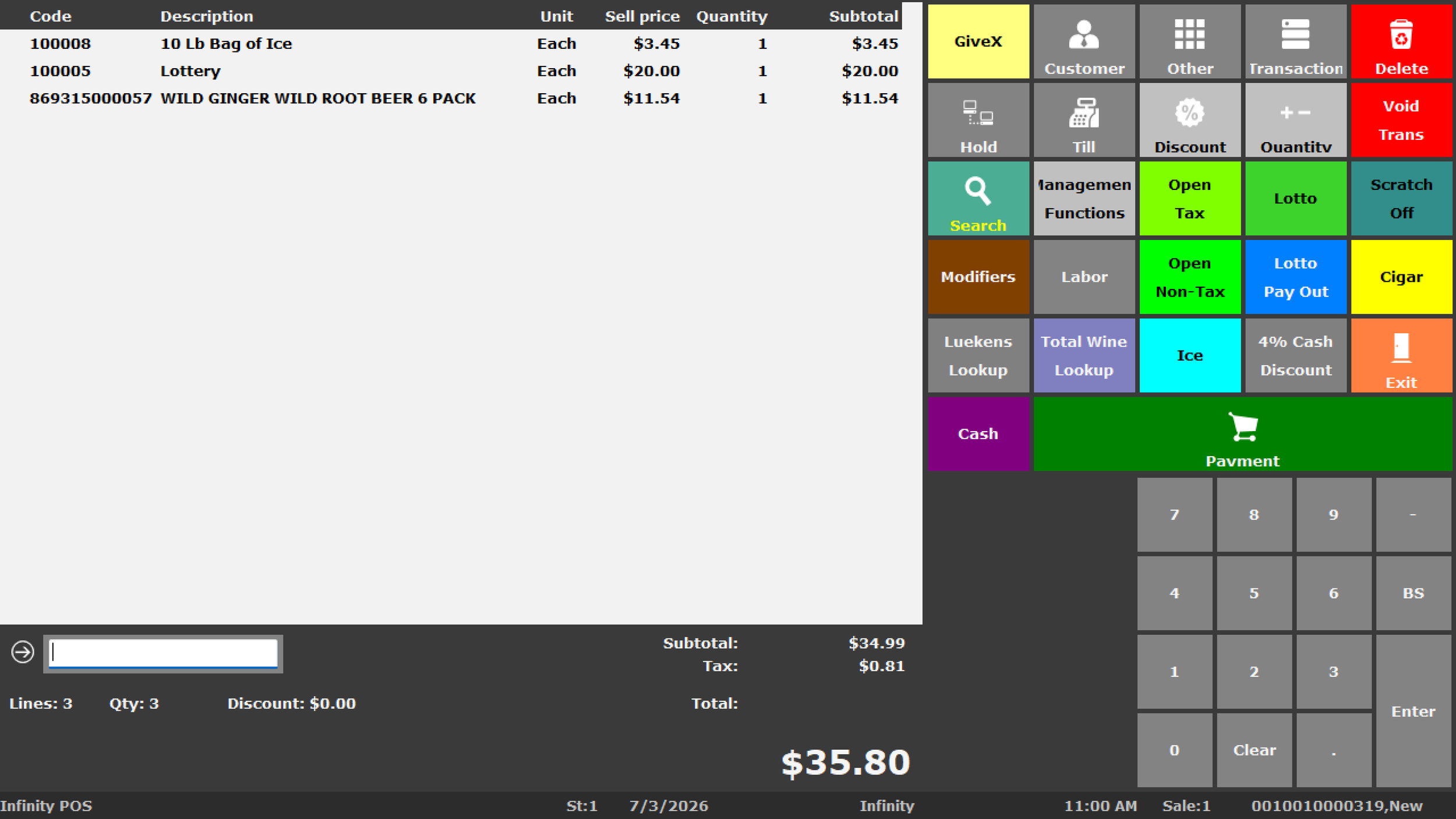
Core grocery POS capabilities
Manage the Work Behind Every Grocery Sale
The exact functions available depend on the Infinity version, hardware, payment processor, agency approval, permissions and store configuration.
Fast Barcode Checkout
Scan packaged products, search item records, process sales and returns, and support front-counter cashier workflows.
Large Product Files
Manage UPCs, SKUs, descriptions, departments, taxes, costs, prices, suppliers and product settings.
Weighted Products
Support properly configured produce, meat, deli and other random-weight workflows using compatible equipment.
Purchasing and Receiving
Prepare supplier orders, receive deliveries, verify quantities, review costs and update inventory.
Explore purchasing and receiving →Inventory and Stock Counts
Review stock on hand, movement, adjustments, transfers, physical inventories and cycle counts.
Explore inventory management →Labels and Price Changes
Print compatible shelf, barcode, receiving, price-change and random-weight labels using configured templates.
EBT and eWIC
Review EBT and approved eWIC processing requirements based on the retailer, agency, processor and configured system.
Review eWIC POS requirements →Cashier and Drawer Controls
Configure employee permissions and review drawers, discounts, voids, refunds, payments, overages and shortages.
Grocery Reporting
Review sales, departments, margins, suppliers, inventory, cashier activity and location performance.
Explore retail reporting →Connected grocery workflow
Follow Products From the Vendor to the Checkout Lane
Infinity can connect major grocery workflows instead of treating purchasing, receiving, pricing, inventory and checkout as unrelated processes.
Scales, weighted items and labels
Confirm the Exact Grocery Hardware and Barcode Workflow
Scale compatibility cannot be determined by appearance alone. The manufacturer, model, interface, barcode format, label template and software configuration all matter.
Scanner-Scales
Confirm the exact scanner-scale model, communication interface, driver, operating system and Infinity configuration.
Label-Printing Scales
Review the PLU format, embedded barcode, weight or price fields, label size and department workflow.
Random-Weight Barcodes
Test how the barcode encodes the product, weight, quantity or price and how Infinity interprets that information.
Meat and Deli Labels
Review product descriptions, sell-by information, price per unit, net weight and required label fields.
Shelf Labels
Confirm supported label printers, media sizes, product fields and price-change procedures.
Checkout Testing
Test real packaged and weighted products before launch, including voids, returns, discounts and quantity changes.
EBT and eWIC
Plan Benefit Processing Around the Exact Program Requirements
EBT and eWIC support involves more than adding a payment button. The retailer, location, agency, processor, payment device, product file and software configuration must meet the applicable requirements.
- Confirm retailer and location eligibility.
- Identify the required agency and processor.
- Review supported payment equipment.
- Confirm approved Infinity and CDP configurations.
- Prepare the required product and benefit information.
- Test balance inquiry and transaction procedures.
- Train cashiers on approved checkout workflows.
Information to provide for an eWIC review
- Store name and physical location
- State or program agency
- Current WIC approval status
- Existing POS software
- Payment processor
- Current payment equipment
- Number of checkout lanes
- Desired implementation timing
Inventory, purchasing and pricing
Catch Cost, Quantity and Price Problems Earlier
Grocery margins can be affected by receiving errors, vendor cost increases, incorrect case quantities, missing price changes and inaccurate inventory.
| Operational area | Questions grocery management can investigate |
|---|---|
| Purchasing | What needs to be ordered, what is already on order and which supplier normally provides the product? |
| Receiving | What was delivered, what was short, what was substituted and which costs changed? |
| Pricing | Which retail prices may require review after a vendor cost increase? |
| Inventory | What is on hand, what is moving, what has not sold and where do count variances exist? |
| Departments | How are grocery, meat, produce, deli and other departments performing? |
| Multi-store | How do inventory, sales, margins, transfers and departments compare across locations? |
Recorded Infinity demonstration
See Infinity at Checkout Before Your Personalized Grocery Demo
Watch the recorded Infinity overview, then schedule a grocery-store demonstration focused on your lanes, products, scales, benefits, purchasing, labels and reporting requirements.
- Employee sign-in
- Barcode entry and product lookup
- Quantity changes
- Cash and payment tendering
- Voids and refunds
- Cashier permissions
- Checkout workflow
Hardware, implementation and support
Grocery POS Software Is Only Part of the Store System
Grocery operations may depend on multiple lanes, scanners, scanner-scales, receipt printers, cash drawers, customer displays, payment equipment, label printers, networking and backup planning.
- POS terminals and checkout lanes
- Barcode scanners and scanner-scales
- Receipt and label printers
- Cash drawers and customer displays
- Payment and benefits equipment
- Network and internet planning
- Power protection and backups
- Product-data preparation
- Cashier and manager training
- Remote and onsite support where available
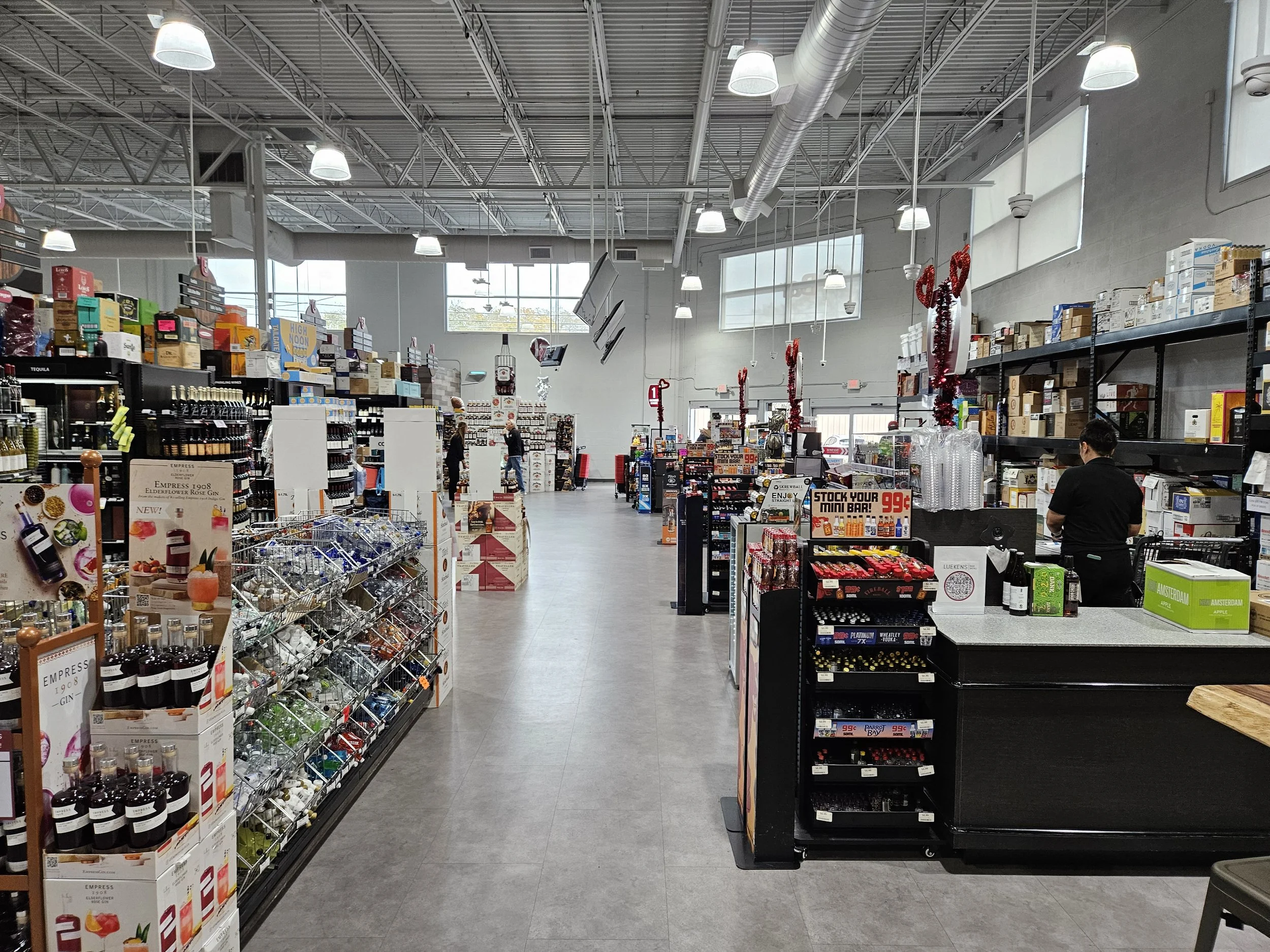
Need help confirming compatible grocery POS hardware?
Contact a BizTracker specialist or call (877) 767-1249 with the manufacturer, model, interface and current POS information.
Replacing an older grocery POS
Plan the Transition Before the Existing Lanes Are Removed
Grocery conversions can affect thousands of products, scales, benefits, prices, suppliers, labels, checkout lanes and employee procedures.
Review Requirements
Document lanes, products, departments, scales, benefits, payments, suppliers, labels and reporting needs.
Review Product Data
Examine UPCs, descriptions, departments, taxes, costs, prices, suppliers and weighted-item records.
Confirm Compatibility
Verify scanners, scales, printers, payment devices, benefits, networks and other equipment.
Configure and Test
Test checkout, weighing, benefits, payments, receipts, labels, receiving and reports.
Train Employees
Train cashiers, managers, receivers, inventory employees and buyers on their assigned workflows.
Launch With Support
Use a planned go-live process with support for questions, corrections and follow-up training.
Frequently asked questions
Grocery Store POS Questions
Exact capabilities depend on the Infinity version, hardware, processor, agency approval, configuration, permissions and project requirements.
What is grocery store POS software?
Grocery POS software connects checkout with product records, barcode scanning, weighted items, inventory, suppliers, purchasing, receiving, labels, benefits, employee controls and reporting.
Can Infinity manage a large grocery product file?
Infinity can manage UPCs, SKUs, descriptions, departments, suppliers, taxes, costs, prices, stock levels and other product settings. Data quality should be reviewed before conversion.
Can Infinity support weighted products and scales?
Infinity can support properly configured weighted-item and random-weight workflows using compatible scales, printers, barcode formats and software settings. Exact equipment must be confirmed before purchase or reuse.
Does Infinity support EBT and eWIC?
Infinity can support EBT and approved eWIC configurations where the retailer, agency, processor, payment equipment and software setup meet the applicable requirements.
Can Infinity print shelf and random-weight labels?
Infinity can support shelf, barcode, receiving, price-change and selected random-weight label workflows using compatible printers, media, templates and product data.
Does Infinity support grocery purchasing and receiving?
Infinity can support suppliers, product references, case sizes, purchase orders, expected deliveries, receiving, cost review, stock on order and inventory updates.
Can Infinity support multiple grocery store locations?
Infinity can support inventory by location, stock transfers, centralized products, branch pricing, purchasing, permissions and consolidated reporting depending on configuration.
Can existing grocery POS hardware be reused?
Some equipment may be reusable, but compatibility must be checked by exact manufacturer, model, interface, firmware, driver, operating system, software version, processor and condition.
Can we see a grocery POS demonstration?
Yes. Watch the recorded Infinity demonstration on this page and schedule a personalized meeting to review your lanes, products, scales, benefits, purchasing, labels, reporting, hardware and multi-store requirements.
Review your grocery POS requirements
See Whether BizTracker Infinity Fits Your Grocery Store
Tell us about your checkout lanes, product count, scales, weighted items, EBT or eWIC needs, suppliers, labels, inventory problems, reporting requirements and implementation schedule.
Call (877) 767-1249 or use the contact form for a quick compatibility or project question.