
Cash Registers with Barcode Scanners
Add fast barcode item entry to a compatible SAM4S cash register with the Unitech TS100 presentation scanner. BizTracker can help confirm the register, serial connection, power supply and programming required before equipment is ordered.
- Unitech TS100 scanner
- Serial scanner connection
- External power supply
- Register and PLU programming
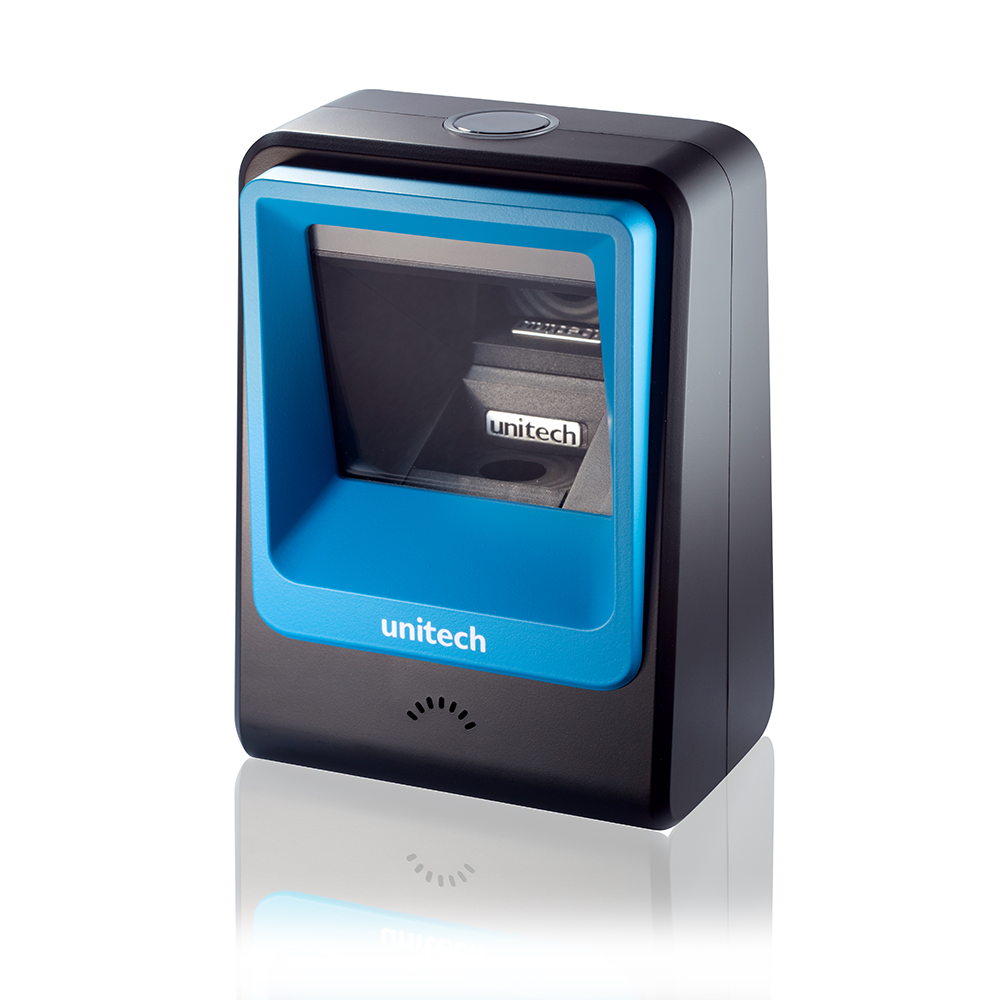
Unitech TS100 countertop presentation barcode scanner
Not every barcode scanner will work with a SAM4S cash register
Scanner choices for traditional SAM4S registers are limited. The scanner generally needs the correct serial interface, matching cable and external power supply. BizTracker currently stocks the Unitech TS100 for qualifying SAM4S register installations. Compatibility must be confirmed before ordering.
Why Add a Scanner to a Cash Register?
A properly configured scanner lets the cashier scan a programmed barcode and recall the corresponding item, price, department and tax status from the register.
Faster Item Entry
Cashiers can scan programmed packaged merchandise instead of manually entering a price or searching for the correct PLU.
More Consistent Pricing
The register recalls the price assigned to the scanned product, helping reduce mistakes caused by manual price entry.
Itemized Receipts
Properly programmed products can appear by item description on receipts and sales reports instead of being entered under only a general department.
Easier Cashier Training
Cashiers can scan familiar packaged items without memorizing every price or keyboard location.
Hands-Free Scanning
The TS100 sits on the counter so items can be moved through the scan area while the cashier keeps both hands available.
Professional Setup
BizTracker can help with equipment selection, communication settings, scanner configuration, barcode assignments and register testing.
The scanner does not store your selling prices
A scanner reads the barcode and sends it to the register. Each barcode must already be assigned to a programmed PLU containing the correct description, price, department and tax setting.
Unitech TS100 Presentation Scanner
The TS100 is a compact countertop scanner that can be supplied in the serial configuration required for qualifying SAM4S cash-register installations.
- Countertop presentation-scanner design
- Compact footprint for limited checkout space
- Reads common retail product barcodes
- Supports both traditional and two-dimensional barcode formats
- Serial configuration available for compatible register installations
- Requires the correct cable, power supply and scanner programming
SAM4S Scanner Package Requirements
What Must Be Confirmed Before Ordering?
A scanner cannot be selected by connector shape alone. The complete register, scanner, cable, power and programming combination must work together.
Identify the Register
Confirm the complete SAM4S model number, available ports, firmware and current peripheral configuration.
Match the Scanner Kit
Select the TS100 with the correct serial interface, cable and external power supply.
Program the Products
Assign each product barcode to the correct PLU, description, selling price, department and tax status.
Configure and Test
Test scanner communication, item lookup, pricing, taxes, receipts, voids, tenders and daily reporting.
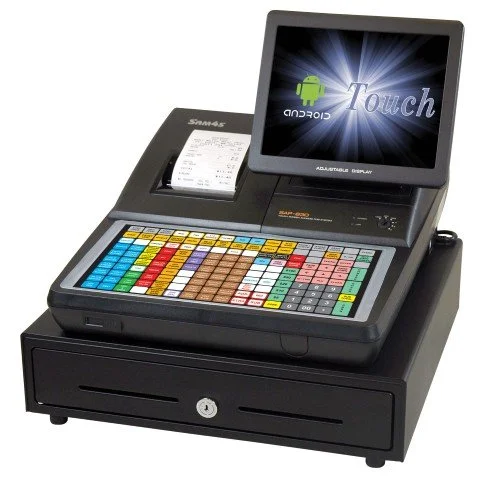
Which SAM4S Registers Can Use a Barcode Scanner?
Scanner support is model-specific. Some SAM4S cash registers can accept barcode input through a properly configured serial port, while others may have limited ports, incompatible interfaces or existing peripherals occupying the required connection.
Exact model: The full register model and version must be identified.
Available serial port: The appropriate port must be present and available for scanner use.
Communication settings: Scanner and register serial settings must be configured to match.
Product capacity: The register must have enough PLU capacity for the products you plan to scan.
Existing equipment: Printers, scales and other peripherals may already be using an available register port.
What Can BizTracker Program?
Adding a scanner is only one part of preparing a cash register for daily use. Programming availability and pricing depend on the register, number of products and information provided.
Products and Barcodes
PLU numbers, barcode assignments, item descriptions, selling prices and department links.
Departments and Taxes
Product departments, taxable and non-taxable settings, tax rates and category organization.
Receipt Information
Business name, address, phone number, receipt messages and available receipt formatting.
Clerks and Tenders
Clerk names, cashier functions, cash, credit and other supported payment keys.
Scanner Settings
Serial communication, scanner configuration and register peripheral-port settings.
Operational Testing
Scanning, pricing, tax calculation, receipts, voids, payments and end-of-day reports.
Cash Register with Scanner or Full POS System?
Both can scan products at checkout. The major difference is what happens after the barcode is scanned.
| Business Need | SAM4S Register with TS100 | BizTracker Infinity POS |
|---|---|---|
| Barcode checkout | Recalls programmed items and selling prices. | Recalls detailed products connected to checkout and back-office records. |
| Product information | Stores basic PLU, description, price, department and tax information. | Stores price, cost, vendor, inventory and additional product details. |
| Inventory quantities | Limited and dependent on the register model and workflow. | Tracks inventory quantities and product movement. |
| Purchase orders | Generally outside the normal role of a traditional cash register. | Supports purchasing, receiving and vendor management workflows. |
| Barcode and shelf labels | Usually requires a separate label process. | Connects product records with barcode and shelf-label workflows. |
| Multi-store management | Registers generally operate as separate standalone systems. | Provides centralized management and reporting across locations. |
A Cash Register May Be Enough When:
- You mainly need faster item lookup and consistent pricing
- Your product list fits within the register's PLU capacity
- You update products and prices directly at the register
- You need straightforward receipts and sales reports
- You do not need detailed purchasing or receiving
Infinity POS May Be Better When:
- You need accurate inventory quantities
- You purchase and receive products from multiple vendors
- You need purchase orders, stock counts or label printing
- You manage a large or frequently changing item file
- You need customer accounts or multi-store reporting
Help Before and After the Sale
BizTracker has worked in the POS and cash-register business since 1996. We help businesses evaluate the entire checkout setup instead of selling a scanner without confirming how it will be connected and programmed.
Review the register, scanner, cable, power supply, cash drawer and other peripherals.
Confirm the model, available ports, interface requirements and product capacity.
Prepare products, prices, taxes, departments, receipts, clerks and barcode assignments.
Tampa Bay businesses can ask about showroom demonstrations, delivery, installation and onsite service.
Cash Register and Barcode Scanner FAQs
Compatibility depends on the complete combination of register, scanner, serial cable, power supply, available ports and programming.
Can I add a barcode scanner to any SAM4S cash register?
No. Scanner compatibility depends on the exact register model, available serial port, firmware, scanner interface, cable, power arrangement and register programming. The complete setup should be reviewed before ordering.
Which scanner does BizTracker currently stock for SAM4S registers?
BizTracker currently stocks the Unitech TS100 presentation scanner for compatible SAM4S cash-register installations. Current availability should be confirmed when requesting a quote.
Why does the scanner need a serial connection?
Traditional SAM4S cash registers generally require a scanner that communicates through a supported register peripheral interface. For the installations covered by this page, the TS100 must be supplied with the correct serial configuration rather than a standard USB-only checkout configuration.
Why is a separate power supply required?
The register's serial connection does not necessarily provide the power needed to operate the scanner. The correct external power supply is therefore included as part of the compatible scanner configuration.
Will a USB barcode scanner work if my register has a USB port?
Not automatically. Having a USB connector does not prove that the register supports USB barcode-scanner input. The register's supported peripheral modes and programming must be verified.
Can the TS100 read both standard barcodes and QR codes?
The TS100 is designed to read common one-dimensional retail barcodes as well as supported two-dimensional barcode formats. Register compatibility and the way scanned data is handled still depend on the SAM4S model and programming.
Does the scanner automatically know each item's price?
No. The scanner only reads and sends the barcode. The register must contain a programmed product record that connects that barcode with the correct item description, price, department and tax setting.
What information should I provide for a compatibility review?
Provide the complete SAM4S model number, photos of the register's connection ports, information about any connected peripherals, the approximate number of products and a description of what you want the scanner to do.
Should I use a cash register or upgrade to a full POS system?
A register may be appropriate when you mainly need barcode item lookup, pricing, receipts and basic reports. Infinity POS is generally a better fit when scanning must connect with inventory, vendors, purchase orders, receiving, stock counts, labels or multi-store management.
Continue Comparing Your Options
Need a SAM4S Register with a Barcode Scanner?
Tell us your complete register model, approximate number of products and whether you already own the register. We will help determine whether the serial Unitech TS100 package is compatible or whether a full POS system would be a better fit.
Scanner and register availability may vary. Compatibility must be confirmed before ordering.