
Restaurant POS Software Built for Real Hospitality Operations
BizTracker Restaurant POS powered by LINGA POS helps restaurants manage ordering, payments, online ordering, kitchen workflow, loyalty, inventory, staff, reporting, and day-to-day operations from one connected platform.
Based in Seminole, Florida, BizTracker provides Tampa Bay area restaurants with local POS support, service fleet coverage, installation help, training, and ongoing assistance.

More than a basic restaurant cash register
Modern restaurants need more than a checkout screen. They need order accuracy, faster payment flow, kitchen communication, online ordering, menu control, staff visibility, customer engagement, and reporting that helps owners make better decisions.
- Manage dine-in, takeout, delivery, pickup, and online orders.
- Support table service, counter service, bar tabs, pizza ordering, modifiers, and kitchen routing.
- Connect payments, loyalty, gift cards, staff tools, inventory, and reporting.
- Review sales, labor, menu performance, customer activity, and operational trends.
- Get local Tampa Bay service and support from the BizTracker team when your business needs hands-on help.
Request a practical restaurant POS review
BizTracker can review your current restaurant POS system, payment setup, hardware, online ordering, kitchen workflow, reporting, support needs, and possible savings opportunities.
We help you understand what is working, what is missing, and what a better POS setup could look like for your restaurant.
Actual savings depend on current provider, rates, fees, volume, and business type.
Restaurant POS Systems by Business Type
Different restaurants need different workflows. BizTracker Restaurant POS powered by LINGA POS can support full-service restaurants, quick-service restaurants, pizzerias, bars, breweries, cafes, bakeries, food trucks, kitchen display systems, kiosk ordering, and online ordering.
Full-Service Restaurant POS
Manage table service, floor plans, checks, modifiers, payments, kitchen workflow, staff, inventory, loyalty, and reporting.
Quick-Service Restaurant POS
Speed up counter service, takeout orders, payments, kitchen routing, inventory alerts, staff scheduling, loyalty, and reporting.
Pizza POS System
Support pizza builders, toppings, modifiers, online ordering, delivery, pickup, loyalty, ingredient tracking, and reporting.
Bar and Brewery POS
Manage open tabs, fast bar orders, happy hour pricing, drink modifiers, payments, kitchen routing, loyalty, and reporting.
Cafe and Bakery POS
Handle fast checkout, coffee modifiers, bakery items, pickup orders, loyalty, gift cards, inventory, staff, and reporting.
Food Truck POS
Support mobile checkout, changing menus, event sales, pickup orders, payments, modifiers, tips, inventory, and reporting.
Restaurant Online Ordering
Add branded web ordering, mobile ordering, digital menus, pickup, delivery settings, customer data, loyalty, and POS-connected order flow.
Kitchen Display System
Improve kitchen order routing, prep station visibility, ticket timing, online order flow, expo coordination, and staff workflow.
Restaurant Kiosk Ordering
Let customers place self-service orders, customize items, complete payments, and send orders directly into your kitchen workflow.

Front-of-house tools for faster service
Restaurants need a POS system that helps staff move quickly without losing accuracy. BizTracker Restaurant POS powered by LINGA POS supports ordering workflows for table service, counter service, bar service, takeout, pickup, online ordering, and self-service ordering.
- Fast order entry for popular items, combos, modifiers, and add-ons
- Table service, open checks, split checks, item transfers, and bar tabs
- Secure payments, tips, receipts, gift cards, and loyalty options
- Customer-facing display, kiosk ordering, and online ordering options
- Menu management for pricing, availability, categories, modifiers, and specials
- Reporting for sales, staff, payments, customer activity, and item performance
Restaurant POS features that help connect the whole operation
The right POS system should support the way your restaurant actually works, from order entry to kitchen prep to payment to reporting.
| Restaurant need | How BizTracker Restaurant POS can help | Why it matters |
|---|---|---|
| Ordering and modifiers | Manage menus, categories, required selections, sizes, toppings, sides, substitutions, notes, combos, and add-ons. | Helps staff enter orders accurately and gives customers the options they expect. |
| Payments | Support secure payment workflows, tips, receipts, gift cards, split payments, and customer-facing checkout. | Helps simplify checkout for guests and staff. |
| Kitchen workflow | Route orders to printers, kitchen display systems, prep stations, bar, expo, pickup, or takeout areas. | Helps reduce communication gaps between front-of-house and back-of-house teams. |
| Online ordering | Add branded web ordering, mobile ordering, digital menus, pickup, delivery controls, ordering schedules, and customer data. | Helps restaurants take more direct orders without depending only on third-party apps. |
| Inventory and purchasing | Track item movement, stock levels, ingredient usage, food cost trends, and product performance. | Helps managers reduce waste, prepare for rush periods, and make smarter menu decisions. |
| Reporting | Review sales, labor, guest counts, average checks, discounts, menu performance, payments, customer activity, and trends. | Helps owners make decisions based on real numbers instead of end-of-night guesswork. |
Connect restaurant online ordering with your POS
Online ordering works best when it connects back to your restaurant POS system. BizTracker Restaurant POS powered by LINGA POS can help restaurants manage branded web ordering, mobile ordering, digital menus, pickup, delivery settings, customer data, loyalty, and POS-connected order flow.
That gives restaurants a better path than juggling third-party tablets, manual order entry, and disconnected customer information.
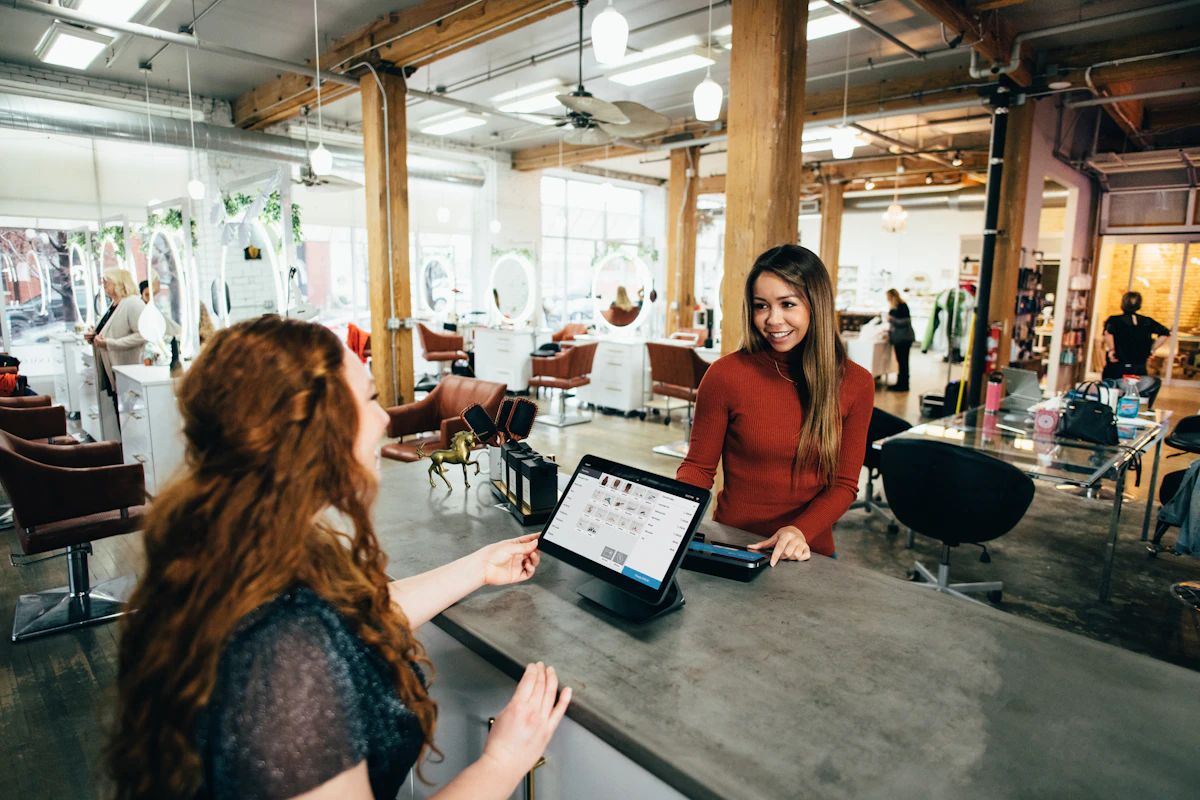
Helpful restaurant POS tools
BizTracker can help restaurants choose the right combination of POS software, hardware, payments, online ordering, support, and service based on their business model.
Kitchen Display System
Improve kitchen communication with screen-based order status, ticket timing, station routing, expo workflow, and online order visibility.
Kiosk Ordering
Add self-service ordering for quick-service, fast casual, pizza, cafe, bakery, food court, and counter-service restaurants.
Direct Online Ordering
Give customers a branded ordering option for pickup, delivery, scheduled ordering, digital menus, loyalty, and customer data.
Loyalty and Gift Cards
Encourage repeat visits with customer history, rewards, gift cards, messaging options, and engagement tools.
Inventory and Reporting
Track item performance, food cost trends, stock levels, sales, labor, discounts, payments, and operational results.
Payments and Hardware
Plan POS terminals, printers, cash drawers, kitchen printers, payment devices, customer displays, kiosks, and service needs.
Local Restaurant POS Support in Tampa Bay
BizTracker is based in Seminole, Florida and supports Tampa Bay area restaurants with local POS service, installation help, training, troubleshooting, and ongoing support.
Unlike remote-only POS providers, BizTracker offers local support backed by a service fleet for restaurants that need help with software, hardware, payments, kitchen workflow, online ordering, and day-to-day POS issues.
- Local support from the BizTracker team in Seminole, Florida
- Service coverage for Tampa Bay area restaurants and retailers
- Help with POS software, hardware, payments, setup, and training
- Support for single-location and multi-location businesses
- Remote and local service options depending on your business needs
Need local POS help?
If your restaurant is in Tampa Bay, BizTracker can help review your current POS setup, identify support gaps, and recommend a better path forward for software, hardware, payments, online ordering, kitchen workflow, and service.
Not sure if your current restaurant POS is still the right fit?
BizTracker can compare your current setup against the workflow your restaurant actually needs: ordering, payments, kitchen routing, online ordering, reporting, inventory, loyalty, staff tools, hardware, support, and local service.
- Review current POS software and hardware limitations.
- Look for payment, reporting, kitchen, online ordering, and support gaps.
- Discuss possible savings opportunities without one-size-fits-all promises.
- Plan a better POS setup for your staff, managers, and guests.
Compare restaurant POS options before you decide
If you are comparing BizTracker, Toast, Square, Clover, Shopify POS, or other restaurant and retail systems, these buyer guides can help you evaluate your options.
Ready to improve your restaurant POS?
Talk with BizTracker about restaurant POS software, payments, online ordering, kitchen workflow, kiosk ordering, reporting, inventory, hardware, onboarding, Tampa Bay local support, and ongoing service.
Restaurant POS Resources
Explore related pages for restaurant POS systems, online ordering, kitchen display systems, kiosk ordering, restaurant types, reporting, inventory, payments, compliance, and support.
Frequently Asked Questions
What is BizTracker Restaurant POS powered by LINGA POS?
BizTracker Restaurant POS powered by LINGA POS is a restaurant POS solution that helps restaurants manage ordering, payments, online ordering, kitchen workflow, loyalty, inventory, staff activity, reporting, and hospitality operations.
What types of restaurants can use BizTracker Restaurant POS?
BizTracker Restaurant POS can support full-service restaurants, quick-service restaurants, pizzerias, bars, breweries, cafes, bakeries, food trucks, fast casual restaurants, and multi-location restaurant groups.
Can BizTracker help with restaurant online ordering?
Yes. BizTracker can help restaurants add branded web ordering, mobile ordering, digital menus, pickup, delivery settings, customer data, loyalty, and POS-connected order flow.
Can the restaurant POS connect to a kitchen display system?
Yes. Depending on your setup, orders can be routed to kitchen printers, kitchen display systems, prep stations, expo areas, pickup workflows, and other back-of-house order channels.
Does BizTracker offer restaurant kiosk ordering?
Yes. Restaurant kiosk ordering can help quick-service, fast casual, pizza, cafe, bakery, and counter-service restaurants give customers a self-service ordering option connected to menu, payment, kitchen, and reporting workflows.
Does BizTracker provide local restaurant POS support in Tampa Bay?
Yes. BizTracker is based in Seminole, Florida and supports Tampa Bay area restaurants with local POS help, service fleet coverage, installation assistance, training, troubleshooting, hardware support, and ongoing service.
Can BizTracker help compare my current POS system?
Yes. BizTracker offers a free POS review to evaluate your current software, payment setup, hardware, reporting, online ordering, kitchen workflow, inventory, support, and service needs. The goal is to find practical improvements and possible savings opportunities based on your actual business.
How do I get started?
Use the contact page to request a free POS review or call (877) 767-1249. BizTracker can discuss your restaurant type, number of locations, current POS system, payments, hardware, online ordering needs, kitchen workflow, reporting goals, and support requirements.