
POS Buying Guide
Free POS System Offers: What Business Owners Should Know Before Signing
A free POS system can sound like an easy decision, especially for a new retail store, restaurant, bar, café, liquor store, grocery store, or convenience store. But “free” usually means the cost is being recovered somewhere else.
Before accepting a free POS system offer, it is important to understand the full setup: hardware, software, payment processing, contract terms, support, training, inventory needs, reporting, and long-term flexibility.
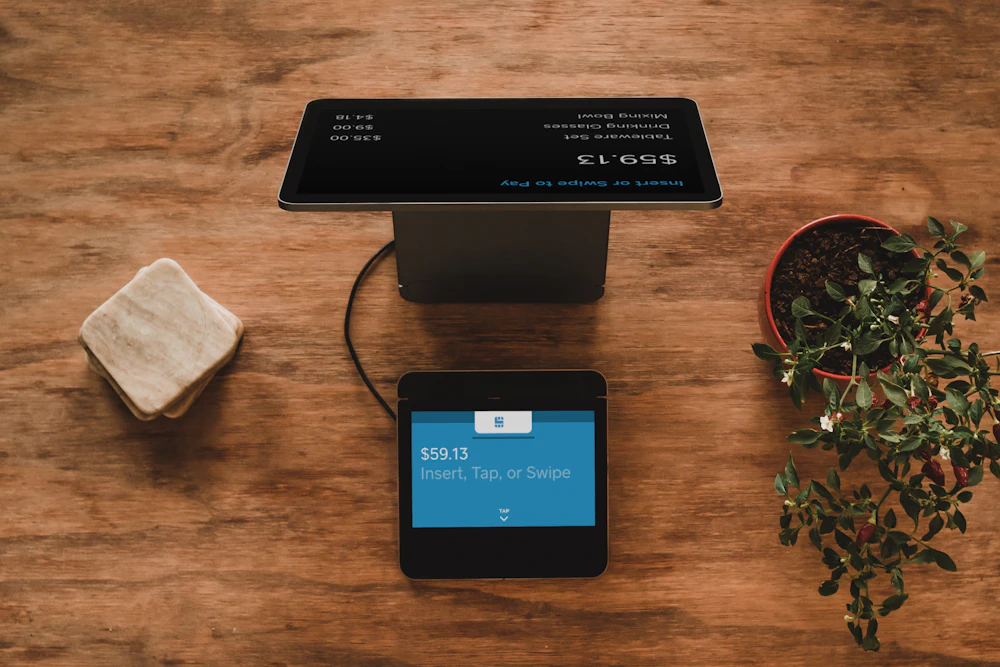
Quick answer: A free POS system is not automatically bad, but business owners should understand the contract, processing agreement, equipment ownership, software fees, support limits, and upgrade path before signing.
What does “free POS system” usually mean?
In many cases, a free POS system offer means the business does not pay the full hardware cost upfront. Instead, the provider may recover the cost through payment processing, monthly software fees, service fees, contract terms, equipment lease terms, or required add-ons.
That does not automatically make the offer bad. It simply means the business owner should compare the full agreement, not only the upfront price.
Why free POS system offers can be confusing
POS systems are not just cash registers with touchscreens. A complete setup can include software, receipt printers, barcode scanners, cash drawers, payment terminals, customer displays, kitchen printers, label printers, scales, inventory tools, reporting, training, and support.
When a provider advertises free POS equipment, the real question is not only “What do I pay today?” The better question is “What am I agreeing to over the life of the system?”
Hardware may be included
Some offers include a terminal, register station, receipt printer, cash drawer, or payment device. Make sure you know whether you own the hardware, lease it, rent it, or must return it later.
Processing may be required
Many free POS offers are tied to credit card processing. Ask whether you are required to use one processor and what happens if you want to change later.
Support may vary
Support can range from basic remote help to full installation, training, troubleshooting, and onsite service. Confirm what is included before you depend on the system.
Before accepting a free POS system, ask these questions
The right POS setup depends on your business type, checkout process, inventory needs, staff training, payment setup, hardware requirements, and support expectations. Before signing anything, make sure you understand the answers to these questions.
When a free POS system offer may make sense
A free POS offer may be reasonable when:
- You clearly understand the full agreement.
- The payment processing terms make sense for your volume.
- The system fits your business type.
- Support is included and easy to reach.
- You know what happens if you cancel.
- You do not need advanced inventory or specialty hardware.
- The provider can explain all software, service, and hardware costs clearly.
Be careful when:
- The offer focuses only on “free equipment.”
- The processing agreement is unclear.
- You cannot get straight answers about fees.
- You are locked into hardware that does not fit your store.
- Installation and training are not clearly included.
- Your business depends on inventory, barcode labels, scales, or multi-location reporting.
- The cancellation terms are difficult to understand.
Free POS system vs paid POS system
The best POS choice is not always the cheapest upfront option. A paid system may cost more at the beginning but give you more control over software, hardware, support, and payment processing. A free system may reduce upfront cost but come with other requirements.
Free POS system offer
- Lower upfront cost
- May include basic hardware
- Often tied to payment processing
- May include contract requirements
- May have limits on hardware or features
- Support level depends on provider
Paid POS system
- Higher upfront cost
- More control over hardware choices
- May offer more flexibility with setup
- Can be better for inventory-heavy businesses
- Can support more specialized workflows
- Support and training should still be confirmed
Different businesses need different POS systems
A free POS offer may work for one business and be the wrong fit for another. The real question is whether the system supports how your business actually operates every day.
Retail, grocery and convenience stores
Retail businesses often need more than a checkout screen. They may need barcode scanning, price changes, departments, tax settings, purchase orders, stock counts, label printing, vendor tracking, and detailed reporting.
Retail POS systems, grocery POS systems, and convenience store POS systems should be reviewed around inventory and operations, not just payment acceptance.

Restaurants, cafés and bars
Restaurants may need table service, quick service ordering, kitchen printers, modifiers, employee permissions, tips, online ordering, and reliable support during busy hours.
For food service, compare the full workflow with your restaurant POS system, not only the upfront equipment cost.

Small shops and basic checkout
Some small businesses do not need a complex POS system. A properly programmed electronic cash register may be a better fit than a larger software platform.
BizTracker can help compare a SAM4S cash register with a full POS system based on your checkout and reporting needs.
The hidden cost is not always money
The wrong POS system can cost a business time, accuracy, reporting clarity, employee confidence, and customer trust. A low upfront price does not help if the system is hard to use, difficult to support, or missing the features your business needs.
Common problems with the wrong POS setup
- Employees are not trained properly.
- Items, departments, taxes, and discounts are set up incorrectly.
- Reports do not match what the owner needs to see.
- Receipt printers, scanners, cash drawers, or terminals are not supported well.
- Inventory is too limited for retail operations.
- The system does not grow well when the business adds locations or registers.
What a better POS review should include
- Your business type and checkout process.
- Your number of registers and locations.
- Your inventory and reporting requirements.
- Your payment processing preferences.
- Your hardware needs.
- Your installation, training, and support expectations.
Important details to review in any POS agreement
Before you accept a free POS system offer, review the agreement carefully. The details below can have a major impact on long-term cost, control, and support.
Contract terms
Check the length of the agreement, automatic renewal terms, cancellation process, early termination fees, and what happens to the equipment if you leave.
Processing terms
Ask about processing rates, monthly minimums, statement fees, PCI fees, chargeback fees, batch fees, next-day funding, surcharging, cash discounting, and hardware compatibility.
Software and support
Confirm what software features are included, what costs extra, how support is handled, and whether help is available when your business needs it.
Why inventory-heavy businesses should be extra careful
Many free POS offers are built around payment acceptance first. That may be fine for simple checkout, but it can be limiting for businesses that depend on inventory accuracy.
If your business manages thousands of items, barcode labels, purchase orders, vendor costs, departments, case packs, age-restricted items, stock counts, or multiple locations, make sure the POS system is strong enough for the operation.
Inventory questions to ask
Can the system manage purchase orders, receiving, stock counts, label printing, vendor records, item changes, price updates, reporting, and multi-store inventory? If the answer is unclear, the free POS offer may not be the right fit for your business.
Local POS help in Tampa Bay
BizTracker is a local POS software and support company serving businesses throughout the Tampa Bay area. We help business owners compare POS systems, cash registers, hardware, inventory tools, payment options, installation, training, and support based on how their business actually works.
Local setup and training
BizTracker can help with onsite setup, employee training, go-live support, and follow-up help. That is different from simply ordering equipment and trying to figure it out alone.
Retail inventory experience
For retail stores, liquor stores, grocery stores, and convenience stores, we can help review barcode scanning, item files, stock counts, purchase orders, price changes, and reporting.
Cash register and POS options
Not every business needs the same system. BizTracker can help compare a traditional cash register, a full POS system, or an upgrade path that starts simple and grows later.
Helpful next steps
If you are comparing POS options, these pages can help you decide what type of system makes the most sense for your business.
Frequently Asked Questions
Is a free POS system really free?
Usually, the equipment may be provided with little or no upfront cost, but the provider may recover the cost through payment processing, software fees, service fees, lease terms, or contract requirements. Always review the full agreement.
Should I avoid free POS system offers?
Not necessarily. A free POS offer may be a good fit for some businesses. The important part is understanding the agreement, support, payment processing terms, hardware ownership, and whether the system fits your daily workflow.
What should I ask before signing a POS contract?
Ask about contract length, cancellation terms, equipment ownership, processing rates, software fees, support availability, installation, training, hardware replacement, reporting, inventory tools, and upgrade options.
Is a cash register better than a POS system?
It depends on the business. A basic shop may do well with a properly programmed cash register. A store with detailed inventory, barcode labels, purchase orders, reporting, or multiple locations may need a full POS system.
Are free POS systems good for retail stores?
Some may be, but retail stores should be careful. If the business needs barcode scanning, vendor management, purchase orders, stock counts, label printing, age-restricted item controls, or detailed reporting, make sure those tools are included and practical to use.
Can BizTracker help if I already received a POS quote?
Yes. BizTracker can help business owners review the practical parts of a POS proposal, including the business workflow, hardware, software, inventory needs, support expectations, and possible upgrade path.
Compare the full POS setup before you sign
Before accepting a free POS system offer, talk with a team that understands retail, restaurant, cash register, inventory, hardware, payment, setup, and support needs.