
POS Network Setup for Businesses
Your POS System Is Only as Reliable as the Network Behind It
A business POS system depends on more than software and hardware. Internet service, routers, switches, Wi-Fi, payment devices, receipt printers, kitchen printers, back-office computers and backup internet all need to work together.
BizTracker helps businesses review POS network setup so checkout, inventory, reporting, payment workflow, printers, scanners and support connections have a stronger foundation.

Quick answer: POS network setup is the planning and configuration of internet, routers, switches, Wi-Fi, cabling, printers, payment devices and backup systems so the POS environment works reliably.
What is POS network setup?
POS network setup is the process of connecting and organizing the devices that keep your POS system running. That can include internet service, modem, router, firewall, network switch, Wi-Fi access points, POS terminals, receipt printers, kitchen printers, barcode scanners, label printers, payment devices and back-office computers.
When the network is not planned correctly, businesses may see slow checkout, printer disconnects, payment terminal issues, scanner problems, Wi-Fi dropouts, reporting delays or support difficulties.
Why the POS network matters
Many POS problems are actually network problems. A register may look like it is failing when the real issue is weak Wi-Fi, a loose cable, a bad switch, a router problem or an internet outage.
Checkout depends on connectivity
Card payments, receipt printing, customer displays, online ordering, remote support and cloud tools may depend on reliable network access.
Printers need stable communication
Receipt printers, kitchen printers, bar printers and label printers may fail or delay output if the network is unstable or poorly organized.
Inventory and reporting need consistency
Back-office review, inventory updates, item changes, receiving and reporting can become harder when workstations and devices lose connection.
What should be included in a POS network setup?
A POS network should be planned around the way the business actually operates. Retail stores, liquor stores, grocery stores, convenience stores, restaurants and multi-location businesses can all have different network needs.
Wired vs. wireless POS connections
Wi-Fi is convenient, but not every POS device should depend on Wi-Fi if a wired connection is available. A stable wired network can reduce many checkout, printer and payment interruptions.
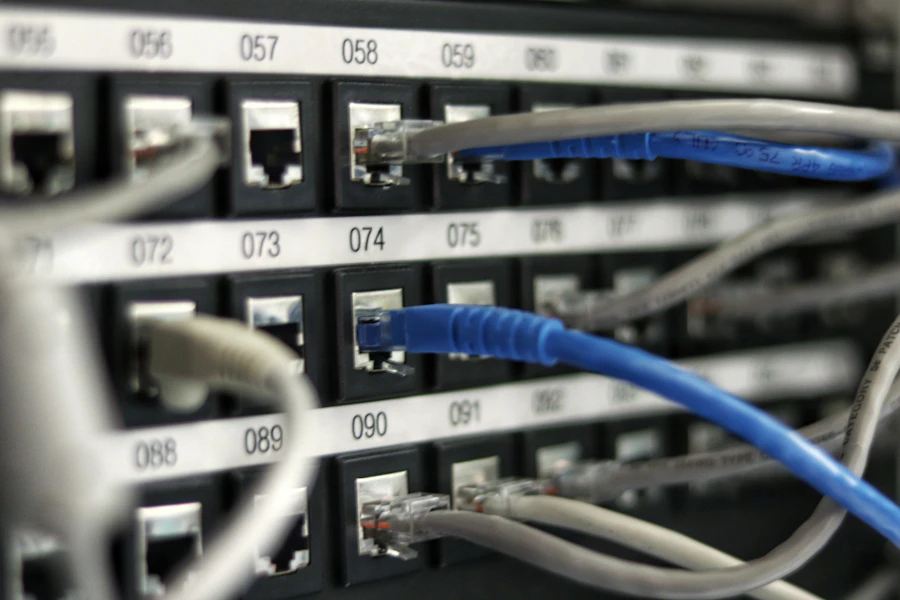
Wired connections
Wired connections are often preferred for POS terminals, receipt printers, kitchen printers, back-office computers and other fixed devices. They are usually more stable than Wi-Fi and easier to troubleshoot.
- Good for fixed checkout stations
- Good for printers and back-office computers
- Less affected by wireless interference
- Requires planning for cabling and switch ports

Wireless connections
Wi-Fi may be useful for mobile devices, tablets, handhelds, customer access or areas where wiring is difficult. It should be planned carefully so business-critical devices do not compete with guest traffic.
- Useful for mobile workflows
- Needs proper access point placement
- Can be affected by distance and interference
- Guest Wi-Fi should be separated from business devices
Payment devices may have special network requirements
Payment terminals and payment integrations may have specific network, security, processor and configuration requirements. Network changes should be reviewed carefully, and payment processing requirements should be confirmed with the processor or payment provider.
Common POS network problems
When a POS system feels unreliable, the network should be part of the review. These issues are common in businesses that have grown over time without a clean network plan.
Receipt printer disconnects
The printer may be fine, but the issue could be a loose cable, IP conflict, weak Wi-Fi, failing switch or network configuration problem.
Payment terminal issues
Payment devices may fail when internet drops, firewall rules block traffic, cabling is poor or the device is on the wrong network.
Slow checkout
Slow checkout may be caused by network delays, unstable internet, overloaded hardware, weak Wi-Fi or poor device communication.
Kitchen printer failures
Restaurant printers can fail when the printer loses its address, the network drops, routing is incorrect or the device is not on a reliable connection.
Back-office connection problems
Managers may have trouble reviewing reports, inventory or item records if back-office computers and POS stations are not communicating properly.
Guest Wi-Fi interference
Guest access should not overload or interfere with business-critical devices such as registers, printers, payment terminals or back-office computers.
Example POS network case studies
These common examples show why a clean POS network setup matters for different types of businesses.
Receipt printer keeps dropping offline
A retail store has a receipt printer that randomly stops printing during busy periods. Employees restart the printer several times a day, but the issue keeps coming back.
Network review: The printer, POS station and router setup should be reviewed for cabling, IP settings, switch issues and network stability. A clean wired connection and documented printer setup can make the issue easier to correct and support.
Kitchen tickets are delayed or missing
A restaurant depends on kitchen printers during lunch and dinner service. When the Wi-Fi is busy or the network becomes unstable, kitchen tickets may be delayed or fail to print.
Network review: Kitchen printers should be reviewed for wired connectivity where possible, printer routing, IP settings, switch placement, backup routing and employee procedures.
Card terminal disconnects during peak hours
A liquor store has a payment terminal that disconnects during busy evening traffic. Employees think the POS software is failing, but the issue may involve internet stability, cabling, router settings or payment device configuration.
Network review: The internet connection, router, switch, payment terminal connection and processor requirements should be reviewed before replacing unrelated hardware.
Back-office reports are slow to load
A grocery store uses multiple POS stations, scanners, printers and back-office computers. Reports become slow, and staff notice delays during inventory and item updates.
Network review: The network should be reviewed for workstation connectivity, switch capacity, cabling quality, device layout, internet stability and whether critical systems should be moved to wired connections.
POS network setup by business type
Every business has different network needs. A small retail store, liquor store, convenience store, restaurant and grocery store may all use POS hardware differently.
Retail stores
Retail stores should review wired registers, receipt printers, scanners, label printers, back-office access and inventory workflows.
Liquor stores
Liquor stores should review scanners, payment devices, front-counter printers, inventory access, age-restricted item workflows and backup internet.
Grocery stores
Grocery stores may need network planning for multiple lanes, scanners, scales, label printers, back-office computers and inventory tools.
Convenience stores
Convenience stores should review fast checkout, payment devices, scanners, receipt printers, cash drawers, age-restricted item workflows and uptime planning.
Restaurants and cafes
Restaurants should review kitchen printers, bar printers, Wi-Fi, payment devices, online ordering connections and service-area coverage.
Multi-location businesses
Multi-location businesses should review standard hardware, remote support, consistent network layout, reporting access and support procedures.
How BizTracker helps with POS network planning
BizTracker can help businesses review the POS environment, hardware connections, device placement, backup needs and support procedures. The goal is to reduce avoidable downtime and make the system easier to support.
Review the current POS environment
We review POS stations, printers, scanners, payment devices, back-office computers, internet equipment and network layout.
Identify weak points
Common weak points include poor Wi-Fi coverage, unmanaged cabling, overloaded switches, no battery backup, no backup internet and unclear device documentation.
Plan hardware and connectivity
We help review which devices should be wired, which can use Wi-Fi, where equipment should be located and what should be supported by battery backup.
Test key business functions
Checkout, receipt printing, label printing, kitchen printing, payment workflow, inventory tasks and back-office reporting should be tested after network changes.
Document the support path
Device names, support contacts, restart procedures and failover steps should be documented so managers know what to do when something stops working.
Network setup and BizTracker Infinity POS
BizTracker Infinity POS can support checkout, item management, inventory, reporting and back-office workflows. The network behind the system should be planned so POS stations, printers, scanners, payment devices and management computers can communicate reliably.
Software and hardware together
POS software works best when the hardware and network are planned together. BizTracker can help match terminals, printers, scanners, cash drawers, label printers and other devices to the business workflow.
Installation and training
Network setup should be reviewed during POS installation so devices are connected, tested and understood before the business depends on them every day.
Do not wait until the network fails
If your business has slow checkout, printer disconnects, payment issues, Wi-Fi problems or frequent restarts, the POS network should be reviewed before the next busy period. A small issue during a slow day can become a serious problem during peak traffic.
Helpful related pages
Use these pages to learn more about BizTracker Infinity POS, hardware planning, installation, failover, inventory setup and local support.
Frequently Asked Questions
What is a POS network?
A POS network is the group of internet, router, switch, Wi-Fi, cabling, POS terminals, printers, scanners, payment devices and back-office computers that work together to support the point of sale system.
Why does my POS printer keep disconnecting?
Printer disconnects can be caused by network instability, loose cables, Wi-Fi issues, IP conflicts, switch problems, printer configuration or hardware failure. The printer and network should both be reviewed.
Should POS devices be wired or wireless?
Fixed POS devices such as registers, printers and back-office computers often work best with wired connections when practical. Wi-Fi can be useful for mobile workflows, but it should be planned carefully.
Does a POS system need backup internet?
Many businesses benefit from backup internet, especially if they rely on card payments, online ordering, remote support, cloud services or connected business systems. The right setup depends on the business location and workflow.
Can guest Wi-Fi affect POS performance?
Yes. Guest Wi-Fi can create performance and security issues if it is not separated from business-critical devices. POS devices, payment devices and back-office systems should be planned carefully.
Can BizTracker help with POS network setup?
Yes. BizTracker can help review POS software, hardware, printers, scanners, payment devices, internet equipment, backup needs and support procedures as part of a POS setup or support project.
Is network setup part of POS installation?
It should be reviewed during installation. POS software and hardware depend on the network, so device connections, printers, payment devices, backup internet and support procedures should be considered before go-live.
Build a stronger network behind your POS system
BizTracker helps businesses review POS network setup, Infinity POS software, hardware connections, printers, scanners, payment devices, backup internet, installation, training and support.